6
System Components
All Systems
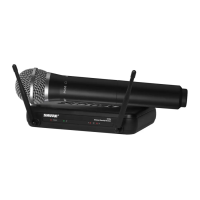
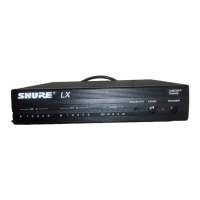
• SVX Receiver
• PS24 Power Supply
• Channel Selector Tool
• 2 AA batteries
Handheld Transmitter
• SVX2 Handheld Microphone Transmitter
• Microphone Stand Adaptor
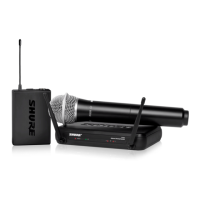
Bodypack Transmitter
• SVX1 Bodypack Transmitter
• Microphone
• CVL Lavalier microphone OR
• PGA31 Headworn microphone
Power
Plug in the power adapter to turn on the receiver. There is no power switch.
Insert 2 AA batteries into the transmitter. Hold the power button for two seconds to turn on.
Connecting to a Sound System
Connect the balanced XLR output on the receiver to a MIC or LINE input. Set the LINE MIC switch
accordingly.
If there is no XLR input, connect the unbalanced 6.35 mm (1/4 inch) receiver output to a LINE input.
Set the LINE MIC switch to LINE.
Channel
Set the transmitter and the receiver to the same frequency using the channel dial.
Note: If using a dual system (or more than one single system), assign each input to a different chan-
nel within the same group (channels 1-4 or channels A-D). For the JB1 band, there are three groups:
channels 1-3, 4-6, and 7-8. This ensures the best signal quality.
Bodypack Gain
The gain dial controls the audio volume sent to
the receiver.
• Turn down the gain if the audio signal sounds
distorted.
• Turn up the gain if the AF LED light is faint or
the audio is too low.
RF Level
This switch sets the RF level of the handheld
transmitter. It does not affect the audio volume.
• Set to LO to avoid interfering with other receiv-
ers when in a building with multiple systems.
• Set to HI for transmitting over a greater dis-
tance when using a single system.
Squelch
Squelch controls the amount of RF signal that
the receiver picks up.
• Turn up the squelch dial (clockwise) to remove
ambient noise from unwanted RF sources.
• Turn down the squelch dial (counterclockwise)
if the microphone is not transmitting clearly to
the receiver.
Low Battery Indicator
The transmitter power LED flashes to indicate
low batteries.
Color ID Rings
Slide these color rings over the handle of the mi-
crophone to identify them. (Sold in a package of
six as an optional accessory.)












 To Next Page