EasyManua.ls Logo

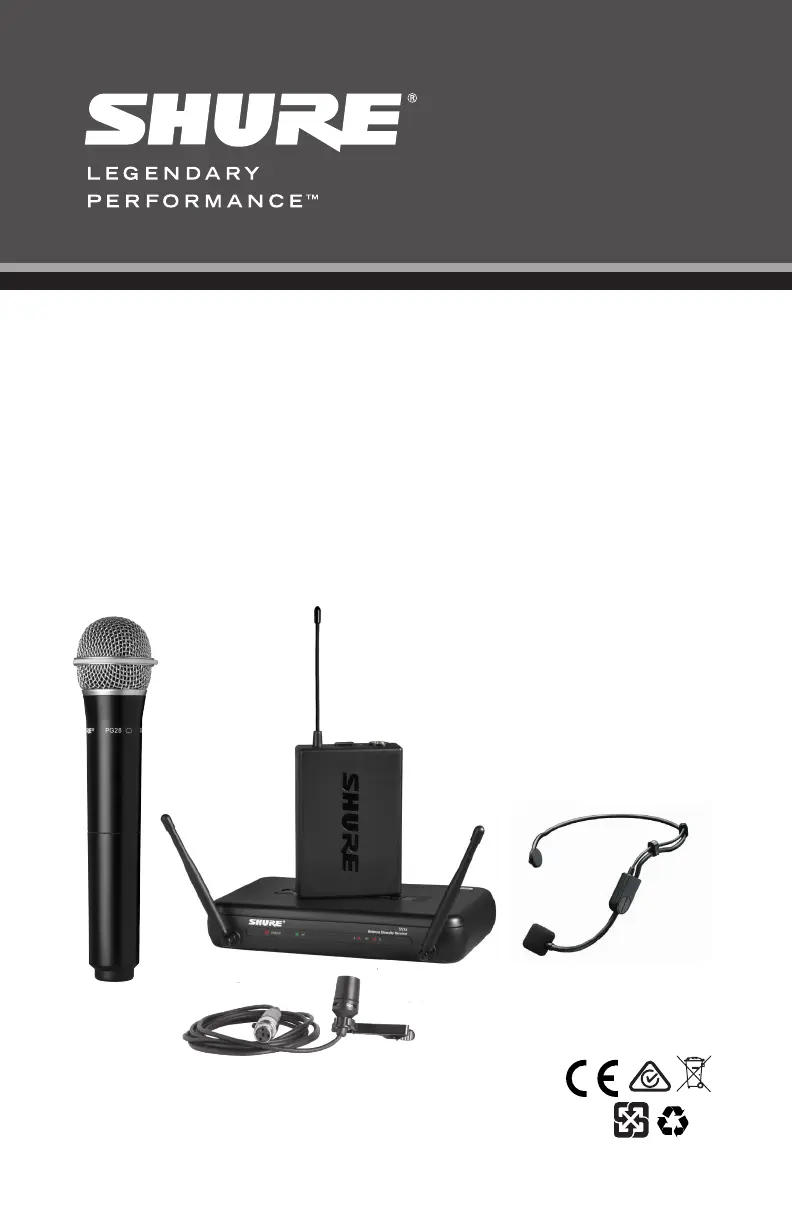
Shure SVX4 - User Manual

Shure SVX4
48 pages
Print Icon
To Next Page IconTo Next Page
Loading...
© 2020 Shure Incorporated
Printed in China
27A47672 (Rev. 1)
Shure SVX Wireless
SVX Wireless System
SVXワイヤレス
SVX 無線系統
SVX Wireless 系统
SVX 무선 시스템
Nirkabel SVX Shure


Other manuals for Shure SVX4

Questions and Answers

  • T
    Troy PerezJul 26, 2025
    How to fix Shure SVX4 Microphone system with no sound?
    • J
      james54Jul 27, 2025
      If your Shure Microphone system has no sound, you can try the following: * Check the power supply of the microphone and receiver. * Ensure that the batteries are inserted correctly. * Set the transmitter and receiver to the same channel. * Verify the receiver is connected to the input on the audio mixer or amplifier. * Ensure the transmitter isn't too far from the receiver. * Decrease the squelch (counterclockwise). * Set the bodypack audio input switch to MIC. * Ensure the receiver has a clear, line-of-sight path to the transmitter. * Keep the receiver away from metal objects.
  • M
    Michael NelsonAug 5, 2025
    What to do if my Shure Microphone system has noise from RF interference?
    • N
      nicholasmorenoAug 5, 2025
      If you are experiencing noise from RF interference with your Shure Microphone system, consider these solutions: 1. Replace the transmitter batteries. 2. Check the receiver antenna location, ensuring a clear path between receiver and transmitter. 3. If using multiple systems, choose different channels within the same group (channels 1-4 or channels A-D). For the JB1 band, use channels 1-3, 4-6, or 7-8. 4. Turn off or relocate potential interference sources like cell phones or other electronic devices. 5. Increase squelch (clockwise) to limit ambient noise pickup. 6. Unplug any unused receivers.
  • H
    harold81Aug 15, 2025
    How to resolve audio distortion in Shure SVX4?
    • A
      Austin JacobsonAug 15, 2025
      To resolve audio distortion in your Shure Microphone system: * Adjust levels on the mixer board or sound system. * Make sure all cables are securely connected from the receiver to the sound system. * If using a bodypack transmitter, lower the gain settings.

Summary

Safety Precautions

Understanding Safety Guidelines

Explains safety symbols and lists critical warnings and cautions for device usage.

Quick Setup Guides

SVX4 Receiver Setup

Step-by-step guide for setting up the SVX4 receiver.

SVX1;SVX2 Transmitter Setup

Step-by-step guides for SVX1 bodypack and SVX2 handheld transmitters.

System Component Overview

Receiver and Transmitter Diagrams

Visual identification of SVX4, SVX88 receiver and SVX1 transmitter parts.

System Components and Operation

Component Functions and Setup

Explains system components and operational steps like power, connection, channel, gain, and squelch.

Troubleshooting Common Issues

Provides solutions for common problems like no sound, RF interference, and audio distortion.

Getting Good Sound

Microphone Placement and Usage

Guides for correct microphone placement and wearing for optimal audio capture.

Specifications

SVX System Specifications

Details technical specifications for the general SVX system.

SVX1 Transmitter Specifications

Details technical specifications for the SVX1 bodypack transmitter.

SVX2 Transmitter Specifications

Details technical specifications for the SVX2 handheld transmitter.

SVX4;SVX88 Receiver Specifications

Details technical specifications for SVX4 and SVX88 receivers.

Shure SVX4 Specifications

General IconGeneral
BrandShure
ModelSVX4
CategoryMicrophone system
LanguageEnglish

Related product manuals