EasyManua.ls Logo

Shure GLXD14RE-SM35 - User Manual

Shure GLXD14RE-SM35
88 pages
Print Icon
To Next Page IconTo Next Page
Loading...
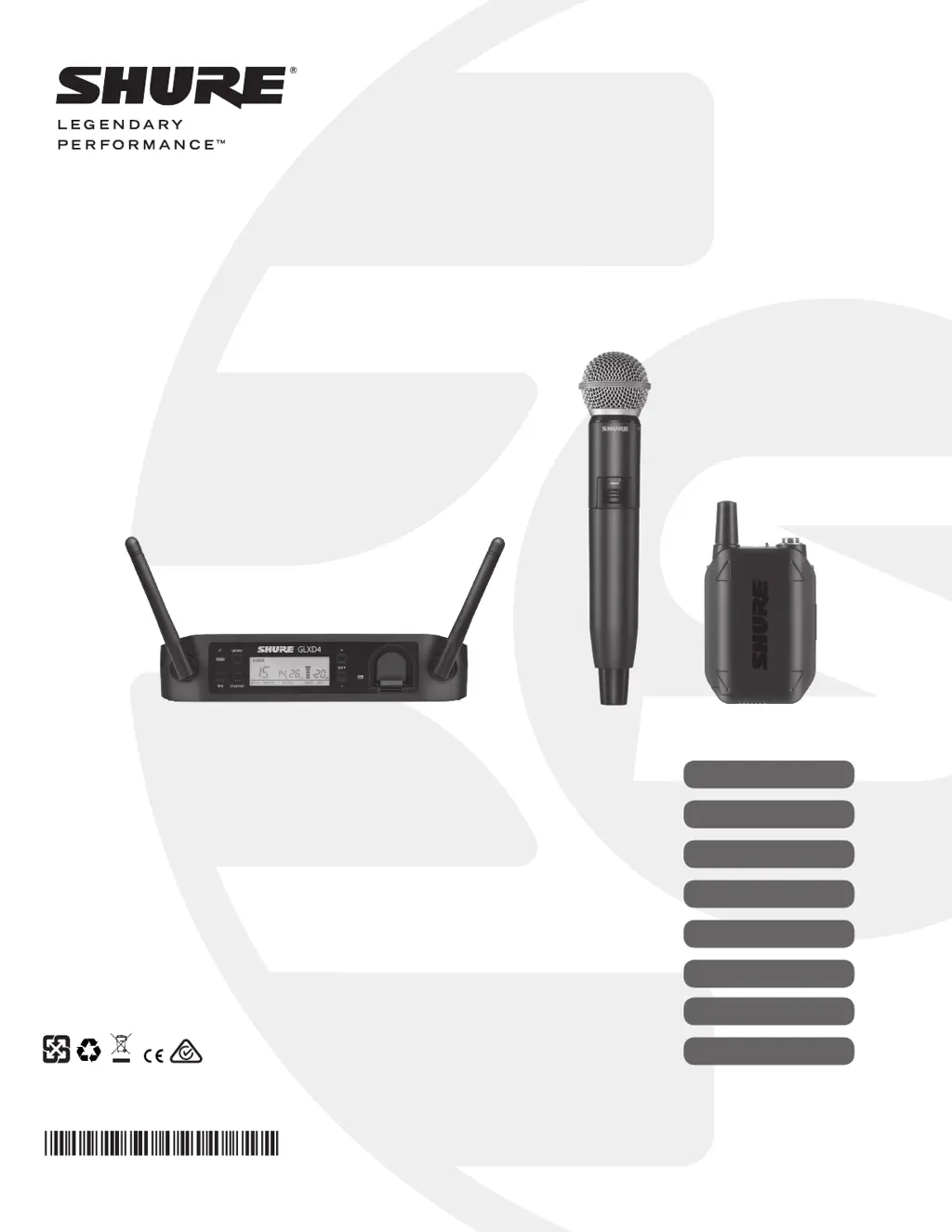
GLX-D Wireless System – GLXD4 Receiver
© 2016 Shure Incorporated
27A32537 (Rev. 1)
Printed in China
User Guide
Le Guide de l’Utilisateur
Guia del Usuario
Guida dell’Utente
Bedienungsanleitung
Manual do Usuário
Руководство пользователя
Gebruikershandleiding

Table of Contents

Questions and Answers

  • D
    David PowersAug 17, 2025
    What to do if I experience audio artifacts or dropouts with my Shure Microphone system?
    • J
      jodi35Aug 18, 2025
      If you are experiencing audio artifacts or dropouts with your Shure Microphone system, try the following: * Change the receiver and transmitter to a different group and/or channel. * Identify and remove any nearby sources of interference, such as cell phones or Wi-Fi access points. * Charge or change the transmitter battery. * Make sure that the receiver and transmitter are positioned within the system's recommended parameters. * Ensure the system is set up within the recommended range and keep the receiver away from metallic surfaces. * For optimal sound, the transmitter must be used in line of sight from the receiver.
  • J
    jamie68Aug 20, 2025
    Why is the receiver RF LED off on my Shure GLXD14RE-SM35?
    • M
      mcculloughteresaAug 20, 2025
      If the RF LED on your Shure Microphone system receiver is off: * Turn on the transmitter. * Ensure the batteries are installed correctly in the transmitter. * Link the transmitter and receiver. * Charge or replace the transmitter battery.
  • R
    Robert GloverAug 22, 2025
    How to fix no sound or faint sound from Shure GLXD14RE-SM35?
    • P
      Patrick WolfAug 22, 2025
      If you are not getting any sound or the sound is faint from your Shure Microphone system: * Check all sound system connections and adjust the gain as needed. * Make sure that the receiver is properly connected to the mixer/amplifier.
  • J
    Jonathan AndersonAug 26, 2025
    What to do if receiver LCD screen is off on Shure GLXD14RE-SM35 Microphone system?
    • C
      Christopher EvansAug 26, 2025
      If the LCD screen on your Shure Microphone system receiver is off: * Ensure the AC adapter is securely plugged into the electrical outlet. * Make sure the receiver is powered on.
  • G
    Gary BrownAug 27, 2025
    Why is transmitter indicator LED flashing red on my Shure Microphone system?
    • D
      Darlene BarkerAug 28, 2025
      If the transmitter indicator LED on your Shure Microphone system is flashing red, charge or change the transmitter battery.
  • S
    sawyerheatherAug 30, 2025
    How to eliminate distortion on Shure Microphone system?
    • H
      harrisvanessaAug 30, 2025
      If you're experiencing distortion with your Shure Microphone system, reduce the transmitter gain.
  • R
    rivassamanthaSep 1, 2025
    What to do if transmitter and receiver link unsuccessful on Shure GLXD14RE-SM35 Microphone system?
    • K
      Katie AndersonSep 2, 2025
      If the transmitter and receiver link is unsuccessful on your Shure Microphone system, update both components to firmware version 2.0 or greater by downloading the Shure Update Utility application and following the instructions.
  • T
    taylorwatkinsSep 4, 2025
    How to manage sound level variations when switching sources on Shure GLXD14RE-SM35?
    • D
      Daniel ValentineSep 4, 2025
      If you experience sound level variations when switching to different sources with your Shure Microphone system, adjust the transmitter gain as necessary.
  • M
    Mary GainesSep 6, 2025
    Why does my Shure GLXD14RE-SM35 Microphone system transmitter power off after 1 hour?
    • M
      Michael RamosSep 6, 2025
      If your Shure Microphone system transmitter powers off after 1 hour, make sure that the linked receiver is turned on.
  • M
    Matthew JohnsonSep 9, 2025
    Why receiver gain control cannot be adjusted on Shure GLXD14RE-SM35?
    • R
      Robert DominguezSep 9, 2025
      To adjust the receiver gain control on your Shure Microphone system, make sure the transmitter is on. The transmitter must be on to enable gain changes.

Summary

Important Safety Instructions

General Safety Instructions

Summarizes numbered safety points for operation, installation, and general precautions.

Battery Safety Warnings

Highlights critical warnings regarding battery handling, heat exposure, and disposal.

Important Operational Notes

Includes notes on product usage, modifications, and environmental considerations.

System Overview

Key Features and Components

Describes system capabilities, benefits, and items included in the package.

Optional Accessories

Lists optional add-on items available for purchase.

Quick Start Guide

Initial Setup Procedure

Step-by-step guide for initial system setup and linking transmitter to receiver.

GLXD4 Receiver Controls and Connectors

Receiver Controls and Ports

Details physical buttons, jacks, and indicators on the receiver unit.

Receiver Screen Display Elements

Explains the information shown on the LCD screen and its indicators.

Transmitter Operation and Features

Transmitter Controls and Indicators

Details physical buttons, ports, and status LEDs on the transmitter.

Microphone Wearing and Placement

Guidance on correct positioning for headworn and bodypack microphones.

Batteries and Charging

Battery Charging Methods

Explains charging via receiver bay and external AC/USB sources.

Battery Installation and Status

Covers inserting batteries and understanding charging LED indicators.

Charging Times and Runtimes

Provides data on charging duration versus transmitter runtime.

Battery Care and Storage

Tips for maintaining battery health, performance, and longevity.

System Setup and Linking

Multiple Receiver System Configuration

Guide for setting up multiple receivers and selecting groups.

Receiver and Transmitter Setup

Step-by-step guide for initial pairing of receivers and transmitters.

Manual Transmitter-Receiver Linking

Procedure for manually linking a transmitter to a receiver.

Combo System Setup

Instructions for linking two transmitters to a single receiver.

2.4 GHz Spectrum Management

Understanding 2.4 GHz Challenges

Explains inherent difficulties of 2.4 GHz band and Shure's solutions.

Coexisting with Wi-Fi and Interference

Strategies for operating alongside Wi-Fi and managing interference.

Improving Wireless Performance

Practical tips and methods to avoid interference and improve signal.

Frequency Tables and Firmware

2.4 GHz Frequency Group Data

Lists frequencies, channels, and latency for each group.

Firmware Update Procedure

Instructions for downloading and installing firmware updates.

Computer Connection for Updates

Details on connecting the system to a computer for firmware updates.

Advanced Operation

Gain Adjustment

How to increase or decrease transmitter gain in 1 dB increments.

Locking and Unlocking Controls

Prevents accidental changes to receiver and transmitter settings.

Identifying Linked Devices

Using the Remote ID feature to identify linked transmitter/receiver pairs.

Manual Group and Channel Selection

How to manually assign groups and channels instead of automatic scan.

Troubleshooting and Resetting

Common Issues and Solutions

Addresses common problems like no sound, dropouts, and distortion.

Component Reset Procedures

Steps to restore the receiver and transmitter to factory settings.

Product Specifications

GLXD4 Receiver Specifications

Technical details including tuning, range, audio response, and dimensions.

GLXD2 Transmitter Specifications

Technical details for GLXD2 including dimensions, power, and input levels.

GLXD1 Bodypack Transmitter Specs

Technical details for GLXD1 including dimensions, power, and connectors.

GLXD4 Electrical and Compliance Details

GLXD4 Dimensions and Power

Physical measurements, weight, and power requirements for the GLXD4.

GLXD4 Connectors and Impedance

Details on audio outputs, input impedance, and pin assignments.

Certifications and Compliance

Lists regulatory compliance and standards met by the device.

User Information (FCC;IC)

FCC and Industry Canada statements regarding operation and interference.

Shure GLXD14RE-SM35 Specifications

General IconGeneral
System TypeDigital Wireless
Transmitter TypeBodypack
Microphone TypeCondenser
Polar PatternCardioid
Battery Lifeup to 16 hours
ReceiverGLXD4
Power SourceRechargeable Lithium-ion
RF Output Power10 mW
Latency2.9 ms
Operating Temperature-18 °C to 57 °C (0 °F to 135 °F)
TransmitterGLXD1
MicrophoneSM35
Simultaneous Channelsup to 8
Dynamic Range120 dB
Receiver OutputsXLR, 1/4"
ConnectorTA4F
Operating Rangeup to 100 meters (330 feet)
Signal-to-Noise Ratio120 dB, A-weighted

Related product manuals