ril 2013
©2013 Shuttle Computer Handels GmbH (Germany). All information subject to change without notice. Pictures for illustration purpose only.
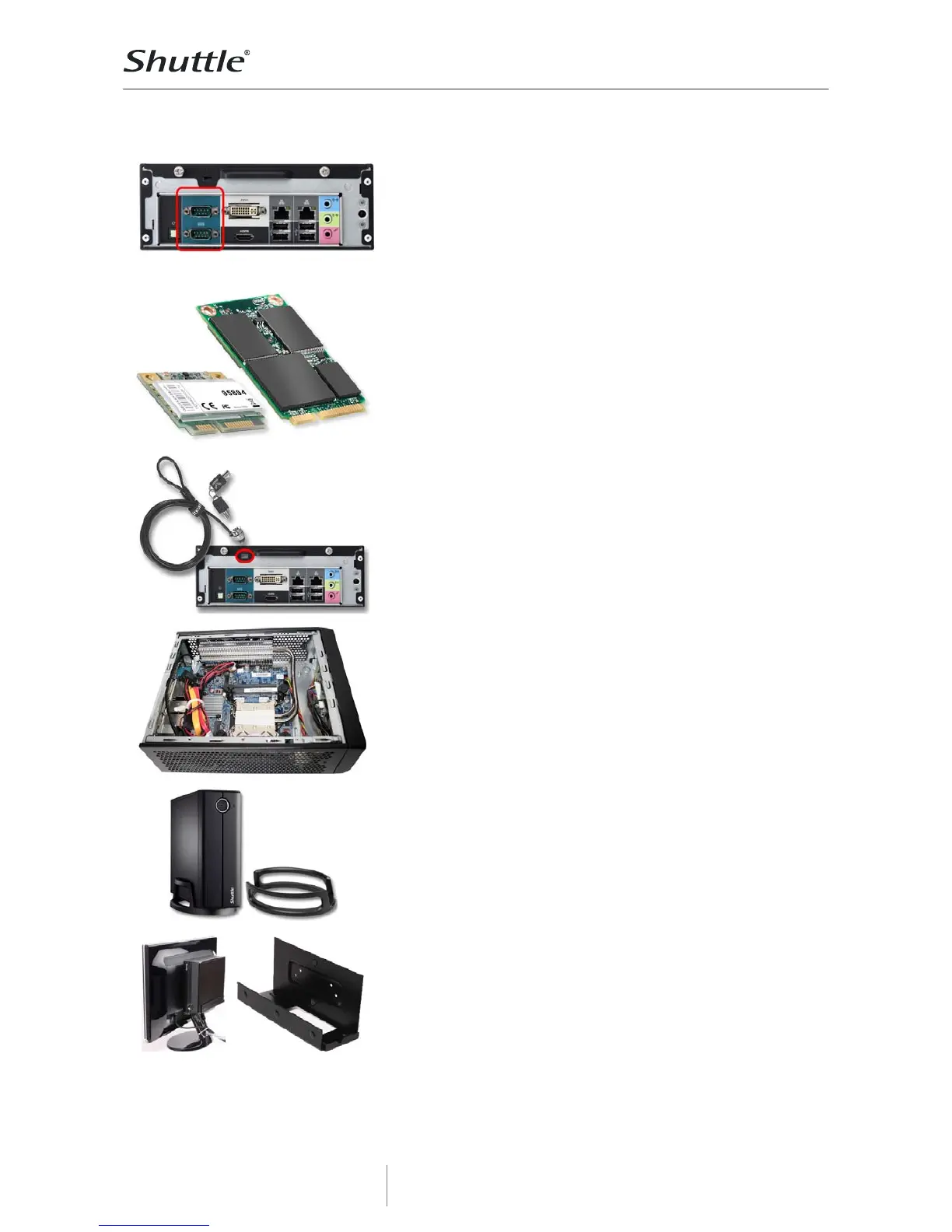
Two serial ports
Many PCs do not have these legacy ports any longer, since they have
been superseded and replaced by USB for most consumer appli-
cations, but they are still commonly used for applications such as
industrial automation systems, scientific analysis, POS systems and
other industrial applications. XH61V features two serial RS-232 ports
which also support both 5 or 12V. The lower COM port also supports the
RS422 and RS485 standard.
2x expansion slots for Mini-PCI-Express cards
XH61V features two expansion slots for Mini-PCIe cards. One is a half
size slot dedicated for an optional Wireless LAN adapter. The second
has full size format and not only features a PCIe interface, but also
mSATA (Mini Serial ATA), supporting the new generation of Solid State
Drives (SSD) in a compact Mini PCIe card form factor.
Photos: half size WLAN card (left) and mSATA SSD card (right).
Kensington Lock
This is a small, metal-reinforced hole as part of an anti-theft system.
(The lock-and-cable are not included)
Heat pipe cooling
XH61V features a highly efficient heat pipe cooling. A heatpipe is a
hollow tube containing a heat transfer liquid. As the liquid evaporates,
it carries heat to the cool end, where it condenses and then returns to
the hot end. Heatpipes thus have a much higher effective thermal
conductivity than solid materials. Please keep the vent holes clear of
obstructions.
Optional Stand for vertical operation (PS01)
XH61V can be used for horizontal operation by default. With the
optional stand accessory (PS01), it can also be placed in vertical
position.
Optional VESA mount (PV02)
Its optional VESA75/100 wallmount allows it to be installed on to walls or
just affixed on the rear side of a monitor which is particularly interesting
for the industry segment, company buildings and public institutions.



 To Next Page