4
USING YOUR DISHWASHER
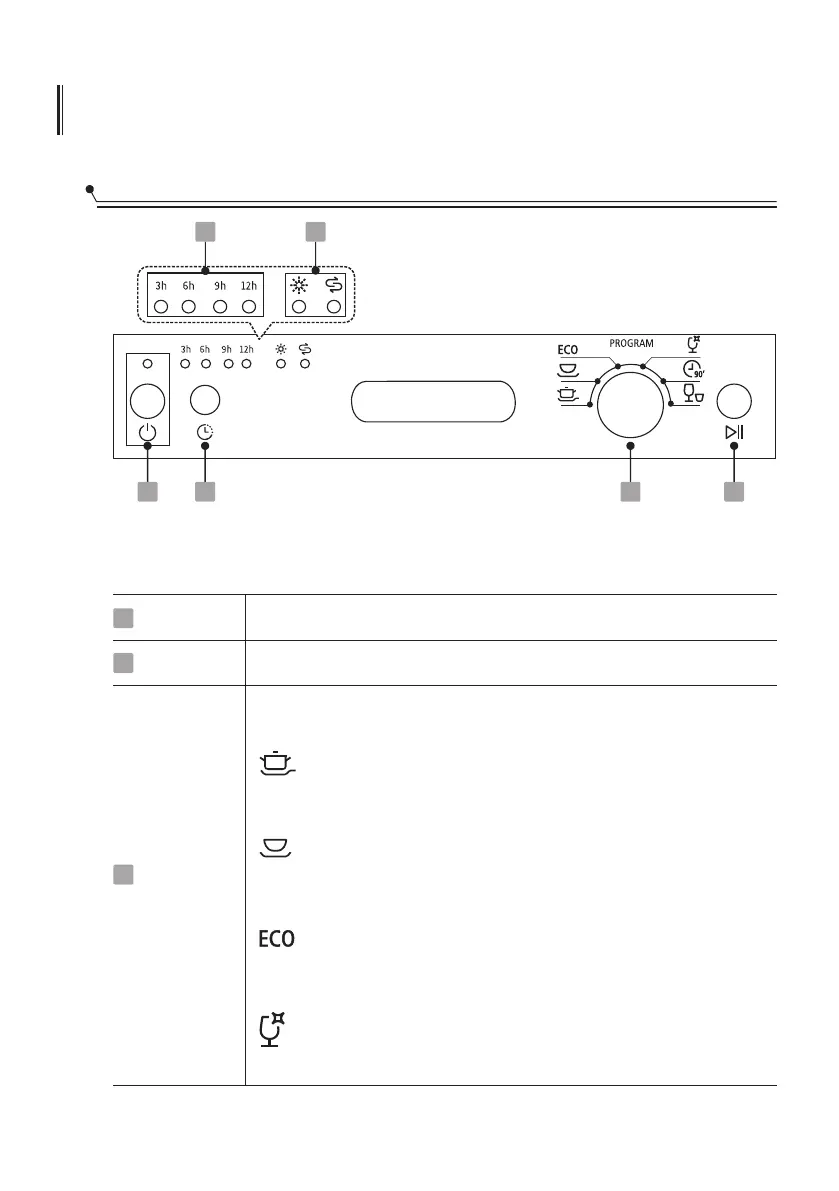
Control Panel
Operation (Button)
Power
Program
1
3
1 3 4
5 6
Rotate the knob to select the appropriate washing program,
corresponding indicator will be lit.
2
Intensive
For heaviest soiled crockery, and normally soiled pots, pans,
dishes etc.With dried-on food.
ECO
Glass
For lightly soiled crockery and glass.
Universal
For normally soiled loads, such as pots, plates, glasses and
lightly soiled pans.
Delay
2
Press the button to set the delay time.
This is the standard program suitable for normally soiled
loads, such as pots, plates, glasses and lightly soiled pans.
Press this button to turn on your dishwasher.



 To Next Page