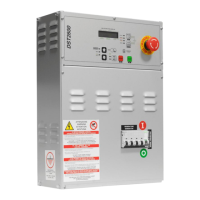
DST2600 User’s Manual 27
When DST2600 is supplied (from engine battery or mains), is does a sequence of operations:
LAMP TEST: the internal horn is enabled for about 0.5 seconds; all the LEDs and the
display internal light are switched on for about two seconds. This operation has the
purpose to allow to the operator to check for failures on the signal lamps or on the horn
that could involve a lack in a failure signalling.
It shows the firmware level. On the multifunctional display it is shown the message
“revXX.YY” (revision). All the lights on the frontal panel are switched off. This phase lasts
one second.
When these operations are ended, the device starts to run its working sequences.
DST2600 has many parameters that allow to adapt its working to many employment situations.
The access to the programming procedure can be protected by a password set by the
system installer. The parameters modification must be done exclusively by specialized
personnel, because an error could compromise the intervention and the working of the
genset, and also cause damages on the genset itself.
The complete parameters list is on document EAAM0147XX; some parameters can be
different from their default because already set-up for the specific plant.
To enter in the programming procedure (“PROGRAM”), select the “OFF_RESET” working
mode with the “UP” key, select the “MODE1” visualization mode with the “MODE/ACK” key
and then press the “AUX/PROGRAM” key.
The main menus list appears:
SICES s.r.l.
DST2600 rev00.01


 To Next Page
 Loading...