Need help?
Do you have a question about the sielco EXC1000GX and is the answer not in the manual?
Important safety warnings and instructions to avoid damage or injury.
Specific instructions and precautions for safe operation and installation.
Identifies various parts of the transmitter models based on their rack cabinet placement.
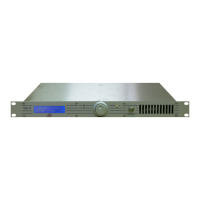
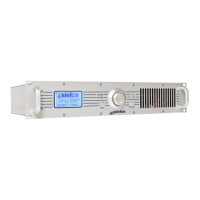
Detailed description and illustration of the front and rear panel of the EXC30GT model.
Enumerates and describes the functions of the front panel controls and connectors.
Crucial safety guidelines for preventing damage and ensuring safe operation.
Guidelines for selecting a suitable room and optimal placement for the transmitter.
Instructions for making essential connections, including antenna and modulation signals.
Procedures for connecting the transmitter to the power supply.
Explains how to connect balanced and unbalanced audio signals to various inputs.
Setting up and using remote control via Ethernet or GSM adapter.
Explains the functions and usage of the main control knob for menu navigation.
Describes how to use the ESCAPE button to return to previous menu levels.
Step-by-step guide on how to navigate through the device's menus.
Essential steps for initial setup, including frequency, power, and other parameter adjustments.
Procedure for setting and adjusting the transmitter's output power level.
Steps to switch the transmitter from stand-by mode to full operation.
Verifying key operating parameters via the VIEW menu after initial setup.
How to switch the transmitter between full operation and stand-by modes.
Overview of the VIEW menu, used for monitoring operating parameters and status.
Displays key operating parameters like direct power, reflected power, and modulation.
Overview of the SETUP menu, used for configuring transmitter parameters and functions.
Adjusting the transmitter's output power level.
Activating and setting passwords to protect access to menus.
Activating/deactivating alarms, setting sensitivity, and deleting alarm history.
Guidelines for regular cleaning, fan checks, and periodic overhauls of the equipment.
Explains common error messages and their solutions, including alarm types.
Describes the over-temperature alarm conditions and how to check CPU and RF temperatures.
Indicates an alarm for an unlocked PLL synthesizer, signaling a potential transmitter fault.
 General
| Frequency Range | 87.5 - 108 MHz |
|---|---|
| RF Output Power | 1000 W |
| Modulation | FM |
| Cooling System | Forced air |
| RF Output Impedance | 50 Ohm |
| Audio Input Impedance | 600 Ohm balanced |
| Power Supply | 230 VAC |
| Dimensions | 550 mm |


 To Next Page