26 Siemens Hearing Instruments
Attaching and removing the audio input shoe
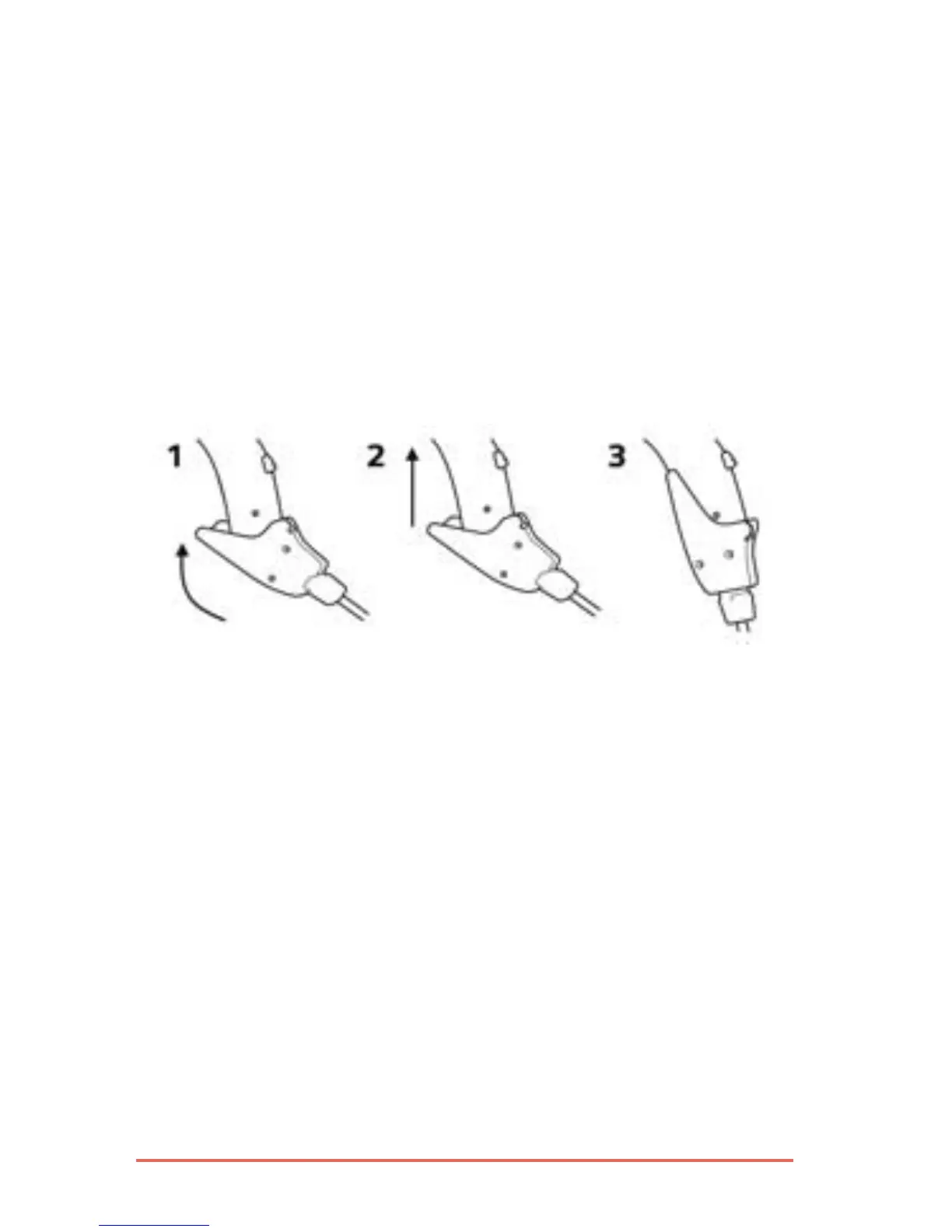
To attach an audio input shoe, open the battery
compartment to the first catch. For CIELO 2 P and
CIELO 2 SP models, open the audio input flap.
Hook the audio input shoe in from the front.
Gently press it into place so that it attaches to
the back of the BTE and the curve of the audio
shoe presses against the bottom (Fig. 12).
Fig. 12: Attaching the audio input shoe
To remove the audio shoe, press the audio shoe
toward the front of the BTE. Then unhook it and
close the audio input flap (where applicable).
Your Audiologist or Hearing Care Provider can
provide further instructions and accessories for
the sound equipment you wish to connect to your
hearing instrument.




 To Next Page