18 Siemens Hearing Instruments
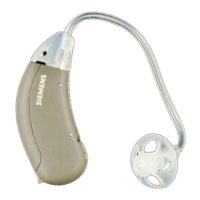
Using the memory button
(where provided)
Your CIELO 2 BTE hearing instrument may have
up to 4 memories, also called hearing programs.
The memories are selected with the memory
button. The last memory in CIELO 2, CIELO 2 P,
and CIELO 2 SP instruments is activated
automatically when an audio input shoe is
attached (see ''Audio Input'' section.) Each
memory is different and designed to help you hear
better in different situations.
When initially turned on (after the battery
compartment door is closed) the microphone
is ON and ready for general use, the default is
memory 1. Your Audiologist or Hearing Care
Provider will provide you with the number of
memories most appropriate for your needs. Each
time you press the memory button, your CIELO 2
BTE hearing instrument changes to the next
memory. The memory change is confirmed by
alerting tones or beeps which correlate to the
memory you are in. That means if you select
memory "3," then the hearing instrument beeps 3
times.





 To Next Page