g
gase
eng-
ra
-
-
-
-
_en.
m
.
.
1
GB
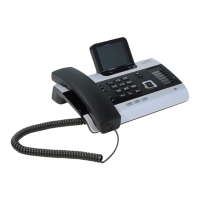
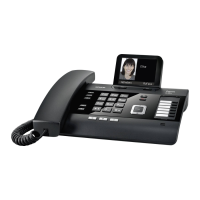
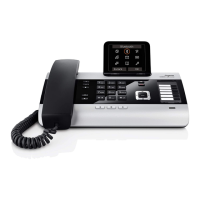
Gigaset 5030 Quick Guide
Keys
1 Repertory keys
2 Last number redial key
3 Recall key
4Mute key
5Shift key
6Quiet key
7 Loudspeaker key (handsfree)
8Loud key
9SMS key
10 Menu key
11 Up key
12 Down key
13 OK key (dial number displayed)
Display symbols
‡ Shift key pressed
y Microphone off
t Loudspeaker on
è Baby Call (direct call) on
‰ (Flashing) No power supply
{ Telephone locked
Additional services from public network providers:
| New call in calls list
› Repeated call
‹ A new message has arrived
† A new SMS has arrived
Š SMS memory full
ë Call waiting on
™ Call forwarding immediately on
˜ Call forwarding on no reply on
— Call forwarding when busy on
š Anonymous call on
Safety precautions
When installing, connecting and operating the telephone,
always observe the following precautions:
◆ Only use the plugs and leads supplied.
◆ Only use the mains unit supplied.
◆ Only connect the connecting lead to the socket/jack
provided for that purpose.
◆ Only connect approved accessories.
◆ Arrange the connecting lead where it will not cause
accidents.
◆ Position the telephone on a non-slip surface.
◆ For your safety and protection, the telephone must not
be used in bath or shower rooms (wet locations).
The telephone is not splash proof.
◆ Never expose the telephone to sources of heat,
direct sunlight or other electrical devices.
◆ Protect your telephone from moisture, dust, corrosive
liquids and vapours.
◆ Never open up the telephone yourself.
◆ Do not touch the plug contact with pointed or metallic
objects.
◆ Do not carry the telephone by the leads.
◆ If you give your Gigaset 5030 to someone else,
make sure you also give them the user guide
1
23
45
6
7
8
1211109 13

 Need help?


 To Next Page
 General