EasyManua.ls Logo

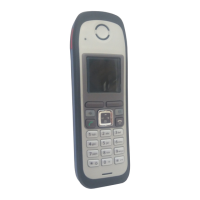
Siemens Gigaset M2 Professional - User Manual

Siemens Gigaset M2 Professional
135 pages
Print Icon
To Next Page IconTo Next Page
Loading...
HiPath 4000
Gigaset M2 professional
Gigaset M2 Ex professional
in
HiPath Cordless Enterprise
Operating Manual
This device is intended for commercial use only.
Read the safety precautions carefully before
use.

Table of Contents

Questions and Answers

  • K
    Kyle WuSep 2, 2025
    What to do if my Siemens IP Phone displays 'No connection under the phone number dialled available'?
    • C
      Christopher GutierrezSep 2, 2025
      If your Siemens IP Phone displays 'No connection under the phone number dialled available', ensure you are entering the phone number correctly. If the issue persists, try calling the attendant console.
  • J
    James VanceSep 6, 2025
    What to do if my Siemens IP Phone is not reacting to keystrokes?
    • K
      Kenneth PierceSep 6, 2025
      If your Siemens IP Phone is not reacting to keystrokes, the keypad lock may be activated, or a key might be stuck. Press the hash key until you receive confirmation to deactivate the keypad lock. Also, ensure that none of the keys are physically stuck.
  • L
    Lisa SullivanAug 30, 2025
    Why does my Siemens Gigaset M2 Professional Telephone say 'protected'?
    • T
      Todd ClayAug 30, 2025
      If your Siemens Telephone displays 'protected', it indicates that data transfer is active. Wait and try again later.
  • R
    rebecca15Aug 26, 2025
    Why does my Siemens Gigaset M2 Professional Telephone say 'Connect. No dial tone available'?
    • M
      Mary GarnerAug 26, 2025
      If your Siemens Telephone displays 'Connect. No dial tone available' immediately after pressing the Talk key, it means calls cannot be made because the communication system is currently in use by other users. Please try your call again later.
  • M
    mariacobbAug 26, 2025
    What to do if my Siemens Telephone shows 'Time exceeded'?
    • S
      shannonpattersonAug 27, 2025
      If your Siemens Telephone displays 'Time exceeded', it means the maximum input time was exceeded because the On-hook key was not pressed, and there were long pauses between keystrokes. To resolve this, avoid long pauses when entering information and press the On-hook key.
  • K
    Kyle ThompsonSep 14, 2025
    How to fix Siemens Handsets with no display?
    • R
      Rodney MorrisSep 14, 2025
      If your Siemens handset has no display, it may not be switched on, or the batteries may be empty. Press the On-hook key until confirmation is received. Charge or replace the batteries.
  • D
    Darrell SmithSep 23, 2025
    What to do if Siemens Handsets shows 'Not authorized'?
    • Z
      zimmermanmarkSep 23, 2025
      If your Siemens handset displays 'Not authorized,' it means a blocked function was called. Apply to the relevant service personnel for the COS for the blocked function.
  • J
    John CollinsSep 12, 2025
    Why does my Siemens IP Phone say 'Not available'?
    • T
      Timothy MelendezSep 12, 2025
      If your Siemens IP Phone displays 'Not available,' it means the phone number was not fully entered, or the star or hash key was not pressed. Make sure to enter the phone number correctly or as prescribed.
  • A
    Amy WuSep 3, 2025
    What to do if my Siemens IP Phone displays 'PIN Incorrect'?
    • C
      Cameron GarrettSep 3, 2025
      If your Siemens IP Phone displays 'PIN Incorrect', it means an incorrect PIN was entered. Enter the correct PIN to proceed.
  • K
    kcoleSep 18, 2025
    What to do if Siemens Handsets shows 'Not available'?
    • C
      Crystal AlvarezSep 18, 2025
      If your Siemens handset displays 'Not available,' it indicates that the phone number was not fully entered, or the star or hash key was not pressed. Ensure you enter the phone number correctly or as prescribed.

Siemens Gigaset M2 Professional Specifications

General IconGeneral
Number of Lines1
Battery Life (Standby Time)Up to 200 hours
Range (Indoors)Up to 50 meters
Range (Outdoors)Up to 300 meters
Hands-freeYes
Caller IDYes
Phonebook CapacityUp to 200 entries
SpeakerphoneYes
Number of Handsets1
Answering MachineNo
Conference CallYes
IntercomYes
Headset JackYes
Battery TypeNiMH
Weight130 g (handset)
TypeDECT Cordless Phone

Related product manuals