EasyManua.ls Logo

Siemens iQ700 FI24NP32 - User Manual

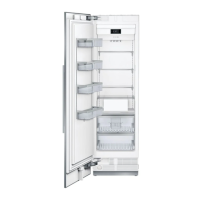
Siemens iQ700 FI24NP32
23 pages
Print Icon
To Next Page IconTo Next Page
Loading...
[en] Instruction manual
Freezer
FI24NP32
FI30NP32
FI24NP33
FI30NP33

Table of Contents

Question and Answer IconNeed help?

Do you have a question about the Siemens iQ700 FI24NP32 and is the answer not in the manual?

Summary

Freezer

Safety instructions

About these instructions

Guidance on reading and following installation and use instructions for the appliance.

Risk of explosion

Warnings against using electric appliances inside or storing flammable substances in the appliance.

Risk of electric shock

Precautions for proper installation and repair to avoid electrical hazards.

Risk of cold burns

Advice on avoiding contact with frozen food that can cause burns.

Risk of injury

Warning about potential bursting of containers with carbonated beverages.

Intended use

Green living

Packaging

Information on environmentally safe and recyclable packaging disposal.

Old appliances

Guidance on recycling old appliances and warnings regarding children.

Installation and connection

Scope of supply

List of items included in the delivery of the appliance.

Technical specifications

Details on refrigerant, cubic capacity and other technical specifications.

Installation location

Guidelines for choosing a suitable installation location based on refrigerant and room size.

Built-in cut-out

Criteria and dimensions for the appliance's built-in cut-out.

Side-by-side installation

Specifications for installing the appliance next to another appliance.

Tips for saving energy

Installing the appliance

Advice on placement and ventilation for energy efficiency.

Using the appliance

Tips on door usage, food placement, and packaging for energy saving.

Before using the appliance for the first time

Water connection

Water pressure of drinking water system

Information on required water pressure and precautions for the appliance.

Electrical connection

Getting to know your appliance

Appliance

Diagram identifying key components of the appliance.

Controls

Overview of the appliance's control panel and buttons.

Controls

Settings menu

Menu for adjusting display brightness, volume, and other settings.

Mode selection

Options for selecting operating modes like Eco mode.

Overview of the information texts

Explanation of how to view and manage information texts for appliance functions.

Demo mode

Information and operation of the appliance's demo mode.

Self-test and reset

Procedures for performing self-tests and resetting the appliance.

Language

Option to change the display language of the appliance.

Temperature unit

Setting the preferred temperature unit (°C or °F).

Features

Storage compartment

Instructions for removing and adjusting the appliance's storage compartment.

Container

Instructions for removing and inserting the appliance's container.

Shelf

Instructions for removing and adjusting the appliance's shelves.

Ice cube container

Ice maker

Ice pack

Filter cartridge with bypass

Clean the filter cartridge with bypass

Changing the filter cartridge with bypass or replacing it with a water filter

Alarm

Door alarm

Information on the door alarm function and how to mute it.

Temperature alarm

Explanation of the temperature alarm and how to switch it off.

Home Connect

Setting up Home Connect

Step-by-step guide to setting up the Home Connect feature.

Setting up the connection to the home WLAN network (Wi-Fi)

Instructions for connecting the appliance to the Wi-Fi network.

Checking signal strength

How to check and improve the Wi-Fi signal strength for Home Connect.

Improving signal strength

Tips for enhancing Wi-Fi signal strength for reliable connectivity.

Connecting the refrigerator to the Home Connect app

Steps to link the refrigerator to the mobile application.

Installing updates for the Home Connect software

Customer Service access

Restoring settings

Switch on or off the connection to the home WLAN network (Wi-Fi)

Information on data protection

Declaration of Conformity

Freezer compartment

Storing frozen food

Information on the suitability of the freezer compartment for storing frozen food.

Making ice cubes

Information on the suitability of the freezer compartment for making ice cubes.

Freezing food

Information on the suitability of the freezer compartment for freezing food.

Freezing capacity

Information on the appliance's freezing capacity and how to use it.

Prerequisites for freezing capacity

Steps required before placing fresh food for freezing capacity.

Fully utilising the freezer volume

Tips for maximizing the frozen food storage capacity.

Purchasing frozen food

Guidelines for buying frozen food and maintaining the cold chain.

Freezing fresh food

Instructions and recommendations for freezing fresh food.

Defrosting

Freezer compartment

Explanation of the automatic NoFrost system and its defrosting benefits.

Not suitable for freezing

List of foods that are not recommended for freezing.

Packing frozen food

Guidelines for proper packaging to maintain frozen food quality.

Shelf life of frozen food at -18°C

Table showing recommended storage times for different frozen foods.

Defrosting frozen food

Methods for defrosting frozen food to maintain product quality.

Cleaning

Cleaning the display

Instructions for cleaning the appliance's display panel.

Cleaning the appliance interior

Step-by-step guide for cleaning the inside of the appliance.

Cleaning the equipment

Instructions for cleaning removable parts of the appliance.

Care instructions for stainless steel surfaces

Guidance on cleaning and maintaining stainless steel surfaces.

Noises

Normal noises

Explanation of common operating noises from the appliance.

Preventing noises

Tips for identifying and resolving appliance noises.

Lighting

What to do in the event of a fault

Appliance

Troubleshooting guide for common appliance issues and their solutions.

Ice maker

The ice maker is not functioning.

Troubleshooting steps for a non-functional ice maker.

Too few or deformed ice cubes, water pressure lower than usual.

Diagnosing issues with ice cube formation and water pressure.

Water is leaking out of the appliance.

Customer Service, product; production number and technical data

Customer Service

Information on contacting customer service for queries and repairs.

Product number (E-Nr.) and production number (FD)

Location and importance of product and production numbers for service.

Technical data

Details on refrigerant, volume, and other technical specifications found on the rating plate.

Appliance self-test

Procedure for running a self-test program to diagnose faults.

Obtaining advice and ordering repairs if a fault occurs

Contact information for seeking advice and scheduling repairs.

Overview

This document is an instruction manual for a Siemens freezer, available in English. It covers various aspects of the appliance, from safety guidelines to operational features and maintenance.

Function Description

The Siemens freezer is designed for storing frozen food and making ice. It operates within a temperature range of -24°C to -14°C, allowing for long-term preservation of perishable foods without significant loss of quality, flavor, or nutritional value. The appliance is equipped with a fully automatic NoFrost system, which prevents ice buildup in the freezer compartment, eliminating the need for manual defrosting. It also features an ice maker for convenient ice cube production, which starts automatically once the set temperature is reached and stops when the ice cube container is full. The appliance can be connected to a drinking water system for the ice maker function, and it includes a filter cartridge with bypass to filter large particles from the water.

The freezer is Wi-Fi-capable, enabling remote control via a mobile device through the Home Connect app. This connectivity allows users to manage settings and monitor the appliance from their smartphones. The Home Connect system also supports software updates to ensure the appliance's functionality remains current.

Usage Features

The freezer offers several user-friendly features and controls:

  • Temperature Display: A display shows the set temperature in °C/°F, allowing for precise temperature control.
  • Main Menu: Accessible via a dedicated button, the main menu provides access to operating modes, information texts, and settings.
  • Mode Selection: Users can select various operating modes, with corresponding symbols appearing on the control panel.
  • Eco Mode: An energy-saving mode that can be switched on or off to optimize power consumption.
  • Sabbath Mode: This mode switches off all non-essential functions, allowing the appliance to be used on the Sabbath. It can be enabled through the settings menu.
  • Settings Menu: This menu allows users to adjust display brightness and dimming effect, set the volume for touch key tones and audible signals, control ice cube production, manage water filter settings, configure Home Connect, and perform self-tests or factory resets.
  • Regional Settings: Users can change the display language and temperature unit (°C/°F).
  • Storage Compartments: The appliance features adjustable storage compartments and shelves, which can be removed and repositioned to accommodate various food items.
  • Frozen Food Containers: These containers are designed for efficient storage of frozen food, with recommendations to fill the lowest container first for quicker freezing.
  • Ice Pack: An ice pack is included to help delay the warming of stored frozen food during power failures or faults, and can be used to keep food cool temporarily in a cool bag.
  • Freezing Fresh Food: Guidelines are provided for freezing fresh and undamaged food, including preparation tips for vegetables, fruits, and other items to retain nutritional value, flavor, and color.
  • Packing Frozen Food: Instructions emphasize the importance of using appropriate packaging to prevent freezer burn and preserve food quality.
  • Door Alarm: An alarm activates if the appliance door is left open for an extended period, with a message appearing on the control panel.
  • Temperature Alarm: This alarm signals if the freezer compartment becomes too warm, displaying the warmest temperature reached.

Maintenance Features

The manual outlines several maintenance procedures to ensure the appliance's longevity and optimal performance:

  • Cleaning:
    • Display: Clean with a soft microfibre cloth to remove steam or smudges.
    • Interior: Disconnect the appliance from power, remove food, and clean with a soft cloth, lukewarm water, and a pH-neutral washing-up liquid. Care should be taken to prevent rinsing water from entering the light or drainage hole. The door seal should be wiped with clean water and dried thoroughly.
    • Equipment: Removable parts, such as shelves and containers, can be taken out for cleaning.
    • Stainless Steel Surfaces: Use only cleaning agents suitable for stainless steel and a stainless steel cleaning cloth, cleaning in the direction of the grain to prevent scratches.
  • Ice Cube Container: It is recommended to empty the ice cube container if the appliance is switched off for a prolonged period or during a power failure to prevent damage.
  • Filter Cartridge with Bypass: This cartridge can be kept permanently and should be cleaned once a year. Instructions are provided for disassembling, cleaning under running water, and reassembling the filter cartridge.
  • Water Filter (if used): If a water filter is installed, it must be changed regularly. The manual provides steps for replacing the filter cartridge with bypass or installing a new water filter, including instructions for switching on the water filter counter in the settings menu.
  • Ventilation Openings: Do not cover or block the ventilation openings, and vacuum them once a year to ensure proper air circulation and energy efficiency.
  • Appliance Self-Test: The appliance has a self-test program that can identify faults, which can then be rectified by Customer Service.
  • Home Connect Software Updates: The refrigerator periodically checks for and notifies users about available software updates for the Home Connect system, which can be installed via the control panel.

Siemens iQ700 FI24NP32 Specifications

General IconGeneral
Frost FreeYes
Defrost SystemAutomatic
Width603 mm
Storage Time in Case of Failure9 hours
Door HingeRight
Installation TypeFree-standing
Freezer Net Capacity215 l

Related product manuals