Need help?
Do you have a question about the Siemens LMS SCADAS XS and is the answer not in the manual?
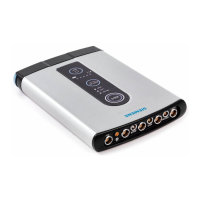
Explains Frontend, Tablet, and Standalone modes for device usage.
Describes the meaning of various LED indicator lights on the device.
 General
| Type | Data Acquisition and Analysis Software |
|---|---|
| Compatibility | Windows operating systems |
| Supported Hardware | Siemens SCADAS hardware |
| Analysis Features | FFT analysis, order tracking, modal analysis |
| User Interface | Graphical user interface (GUI), customizable layouts, interactive data display |
| Connectivity | Ethernet, USB |
| Reporting | Automated report generation with customizable templates |
| Data Export Formats | Universal File Format (UFF), CSV, MATLAB |
| System Requirements | Windows operating system |
| Licensing | Commercial license |
| Applications | Noise and Vibration Testing, Structural Dynamics, Rotating Machinery Analysis, Acoustic Testing, Vehicle Testing, General Data Acquisition |

 To Next Page