Audio input
11
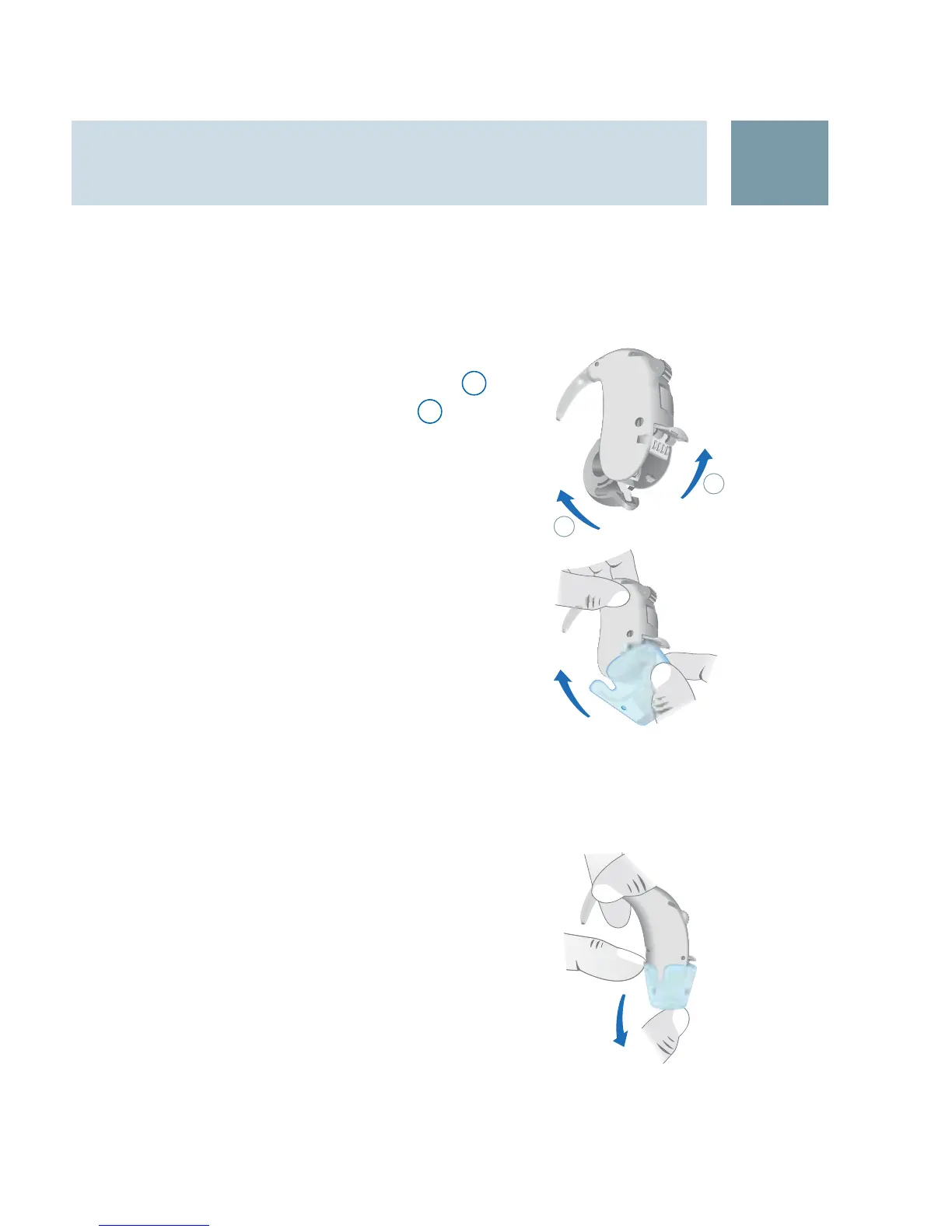
Attaching the audio shoe:
Open the battery compartment X
1
.
Open the audio shoe cover
X
2
.
Close the battery compartment.
X
Align the contacts of the audio shoe X
with the contacts of the hearing in-
strument.
Slide the audio shoe over the hearing
X
instrument until it snaps into the end
position.
The hearing instrument automatically
switches to the corresponding audio
shoe program.
Removing the audio shoe:
Slide the audio shoe in the opposite di- X
rection to that for attachment and take
it off.
Close the audio shoe cover.
X
1
2
21





 To Next Page