10/14
Siemens Room temperature controller with LCD N3075en
Building Technologies 17.04.2009
1.5V
'AA'
1.5V
'AA'
+-
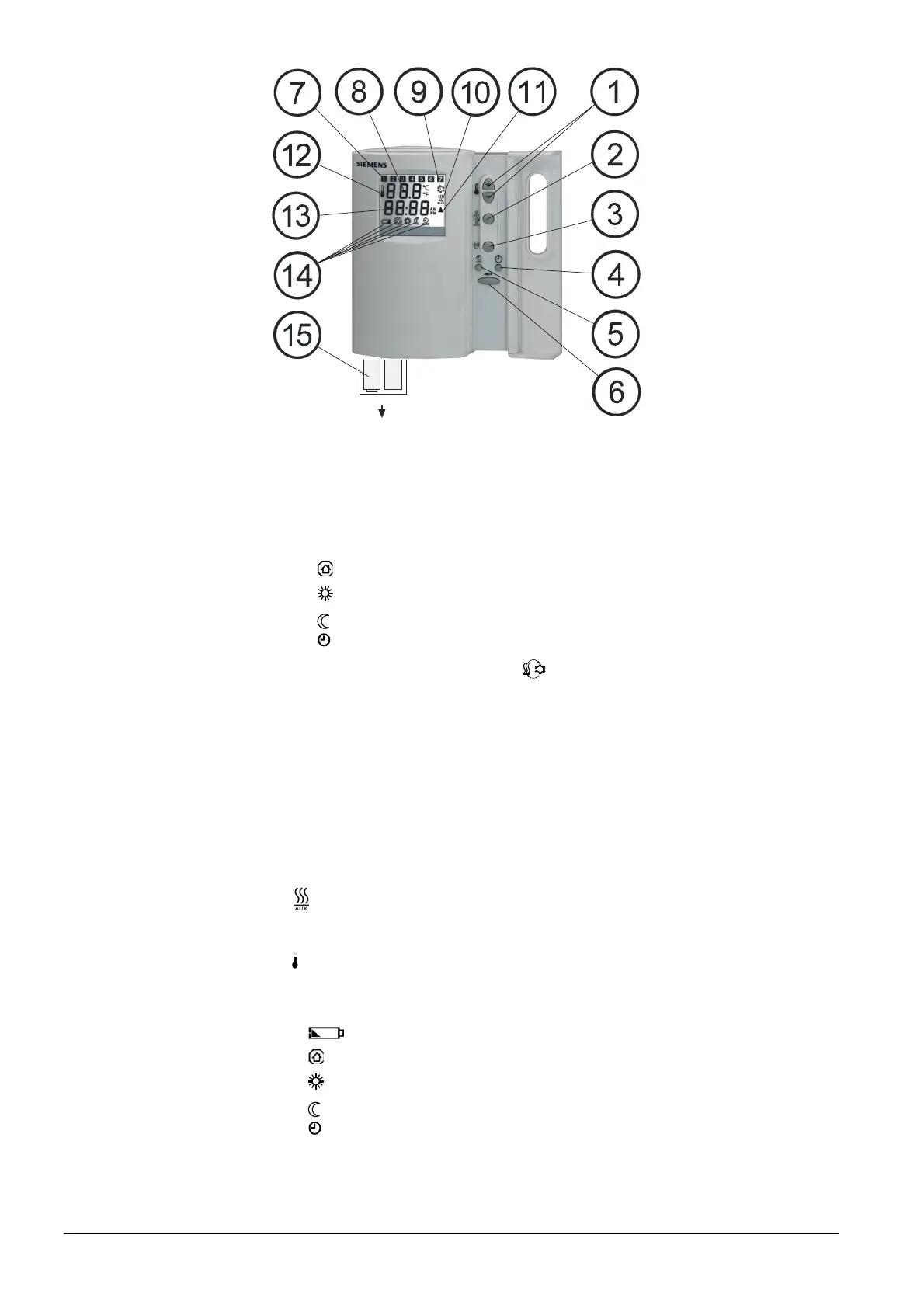
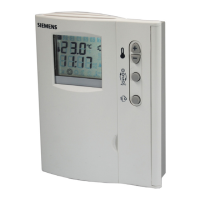
Operating elements
1 Buttons + and - for adjusting the setpoints, the control parameters, the days of
week, and the time of day
2 Button for selecting the mode of operation:
Protection mode
Comfort mode
Energy Saving mode
AUTO
Auto Timer mode
3 Button for manual H/C changeover
4 Button for time of day and weekday settings in automatic time switch program
5 Button for selecting and setting the 8 time switches
6 Button for confirmation
Display
7 Day of week 1...7 (1 = Monday / 7 = Sunday)
8 Current room temperature, room temperature setpoint in °C or °F
9 Cooling mode
10
Auxiliary electric heating ON
11
c Compressor ON
12
Symbol for display of current room temperature
13 Time of day in hours and minutes (12- or 24-hour format)
14 Symbols:
Battery exchange
Protection mode
Comfort mode
Energy Saving mode
AUTO
Auto Timer mode
15 Battery compartment (only with RDX33.21)
Setting elements,
operating elements
and display
Legend


 To Next Page