7/14
Siemens Room temperature controllers with LCD N3075en
Building Technologies 17.04.2009
Control parameters
A number of control parameters can be readjusted to optimize the control performance.
These parameters can also be set during operation without opening the unit. In the
event of power failure, all control parameter settings will be maintained.
The parameters can be changed as follows:
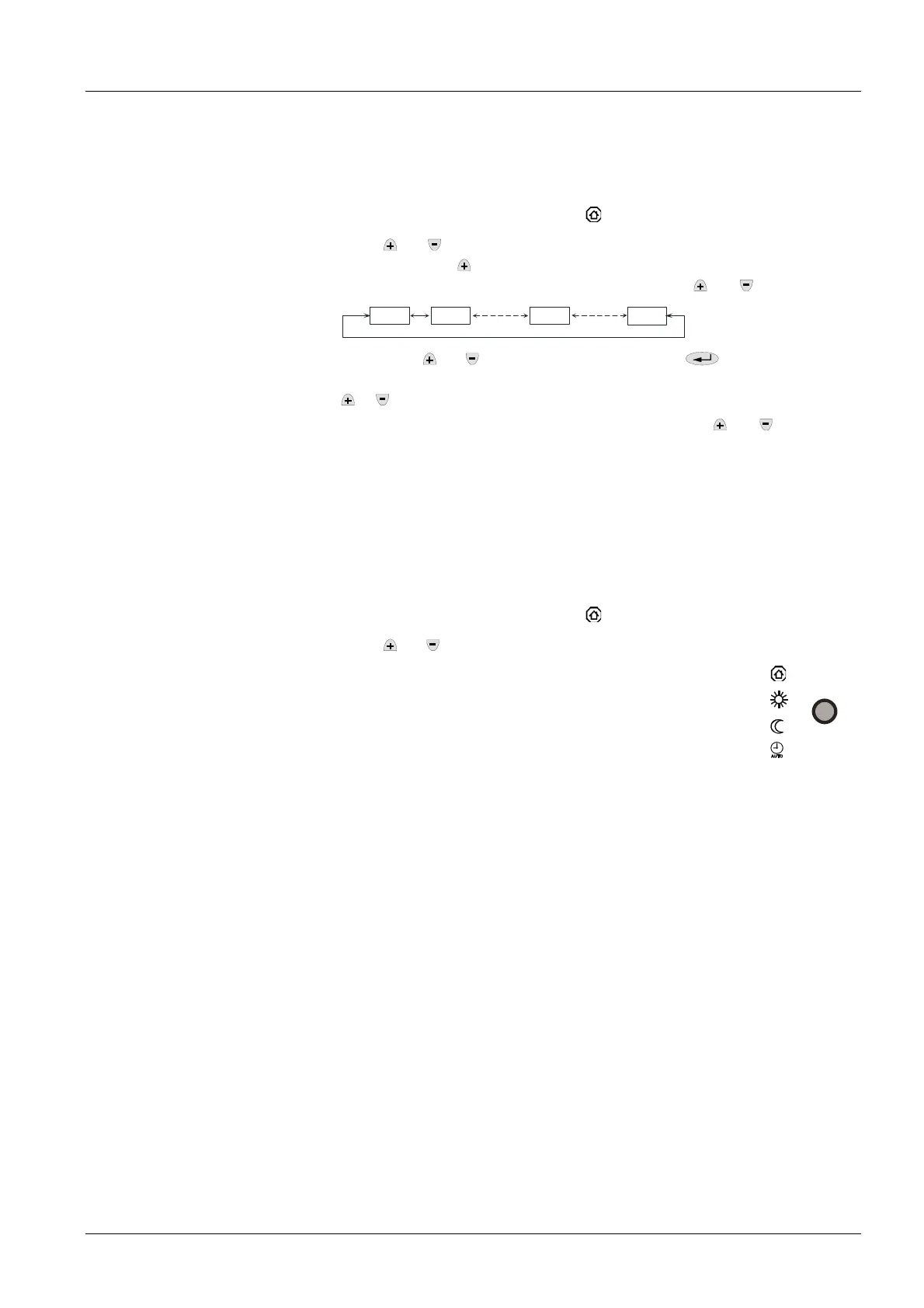
1. Set the controller to Protection mode
.
2. Press
and simultaneously for 3 seconds. Release the buttons and, within
2 seconds, press
again for 3 seconds. The display will show “P01“.
3. Select the required parameter by repeatedly pressing
and .
P01 P02
P18
3075Z03
4. By pressing
and simultaneously, or by pressing , the current value of
the selected parameter appears, which can be changed by repeatedly pressing
or .
5. 5 seconds after the last press of a button, or by pressing
and simultane-
ously, the value will be stored.
6. If you wish to display and change additional parameters, repeat steps 3
through 5.
7. 10 seconds after the last display or setting, all changes will be stored and the
controller returns to Protection mode.
The factory setting of the control parameters can be retrieved as follows:
1. Set the controller to Protection mode
.
2. Press
and simultaneously for 3 seconds.
Release the buttons and, within 2 seconds, press the
operating mode button 2 times.
The display shows “8888“ during this process.
Parameter settings
Parameter reset


 To Next Page