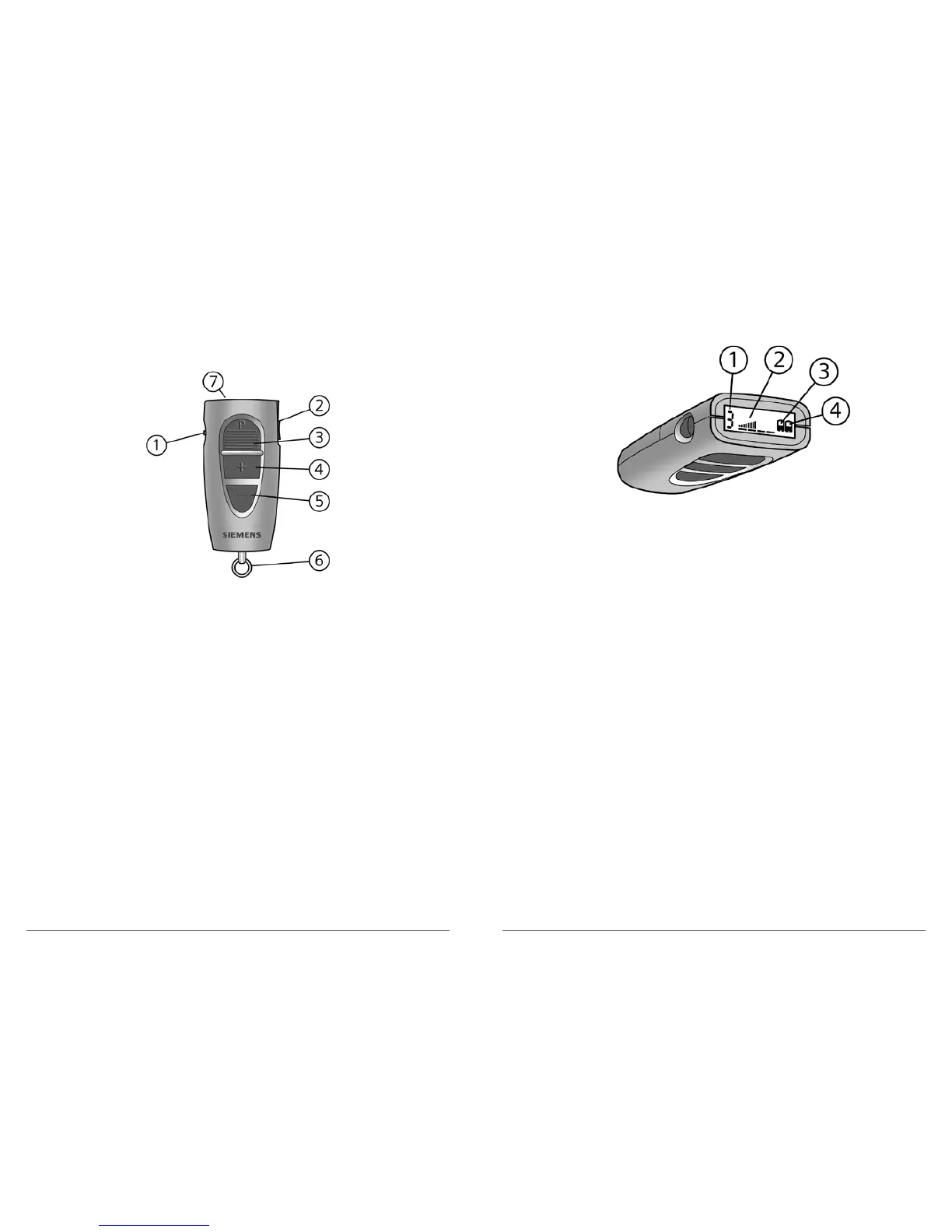
ePocket® Remote Control
The ePocket and ProPocket use two AAAA batteries.
1 Key lock
2 Data Read Out button
3 Program change button
4 Volume up
5 Volume down
6 Key ring
7 Display
Fig. 2: Location of features
Using the Data Read Out button allows you to read the
following information on the display:
1 Program/memory number
2 Volume status
3 Battery status left hearing system
4 Battery status right hearing system
Fig. 3: Data Read Out information for ePocket



 To Next Page