KEY LOCK
10
TURNING YOUR HEARING INSTRUMENTS ON AND OFF
11
Key Lock
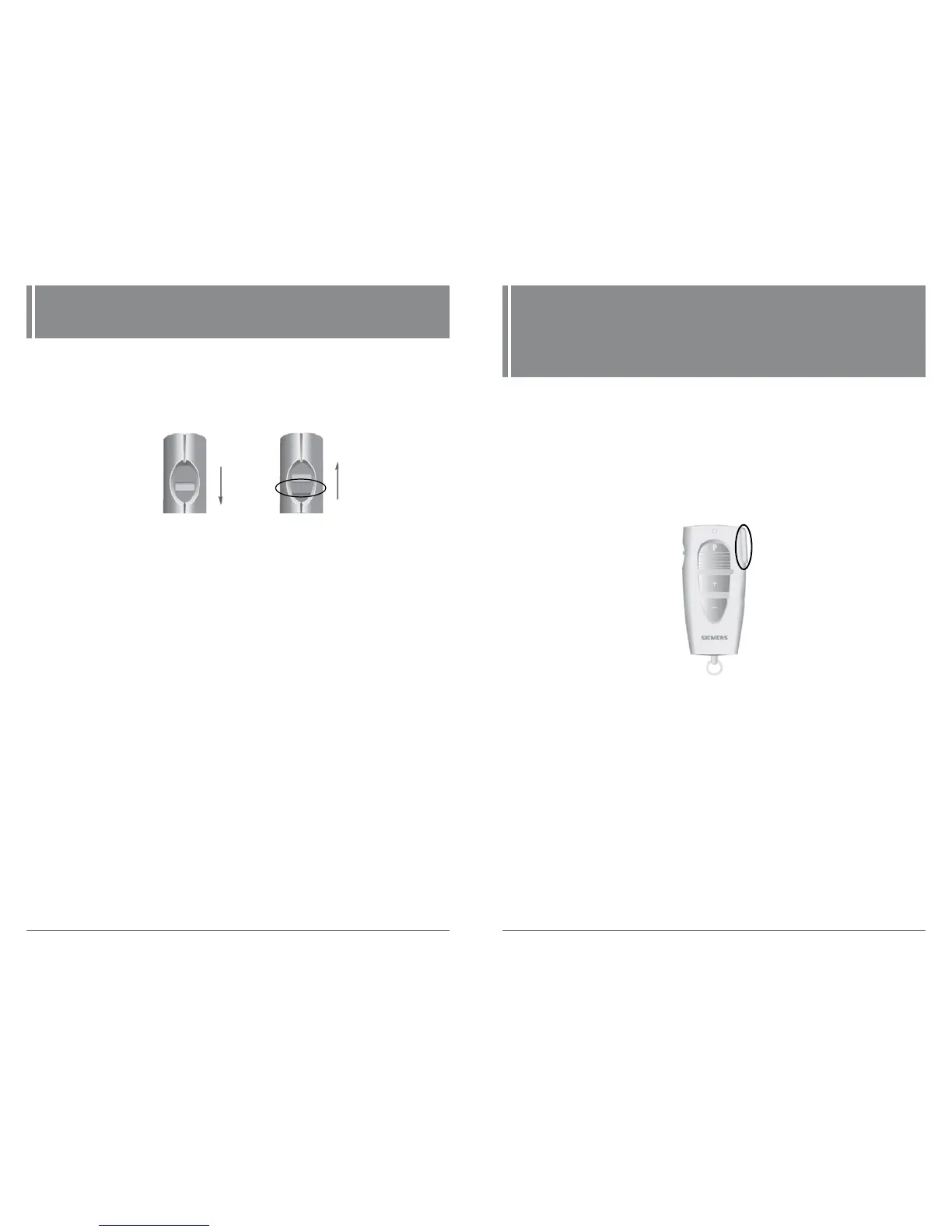
The lock switch deactivates the buttons on the remote
control so that accidentally pressing the buttons will not
have any effect.
• Slide the control over so the green section is covered. The
lock is activated. When pressing a button the LED blinks 3
times to indicate that the lock is activated. (Fig. 5)
• Slide the control in the other direction so the green section
shows. The lock is deactivated. (Fig. 5)
Fig. 5: Lock and unlock
Lock
Unlock
Green
section
Turning Your Hearing
Instruments On and Off
ProPocket only
• Make sure the distance between your remote control
and hearing instrument does not exceed 1 meter.
• If you are wearing two hearing instruments, both
instruments will be turned on/off at the same time.
• Press the On/Off button to turn your hearing instruments
on (Fig. 6).
• Press the On/Off button to turn your hearing instruments
off (Fig. 6).
Fig. 6: On/Off button
On/Off Button



 To Next Page