TABLE OF CONTENTS
2
YOUR REMOTE CONTROL
3
Table of Contents
Your remote control-ProPocket
™
and ePocket
®
..........3
Safety Information................................6
Changing the batteries ............................9
Key lock .......................................10
Turning your hearing instruments on and off..........11
Adjusting the volume.............................12
Changing the program ...........................13
Your remote control-ePen
®
........................14
Tips for using your remote control ..................19
Maintenance and Care............................20
Technical information ............................21
Performance Checklist ............................23
Warranty and Service.............................24
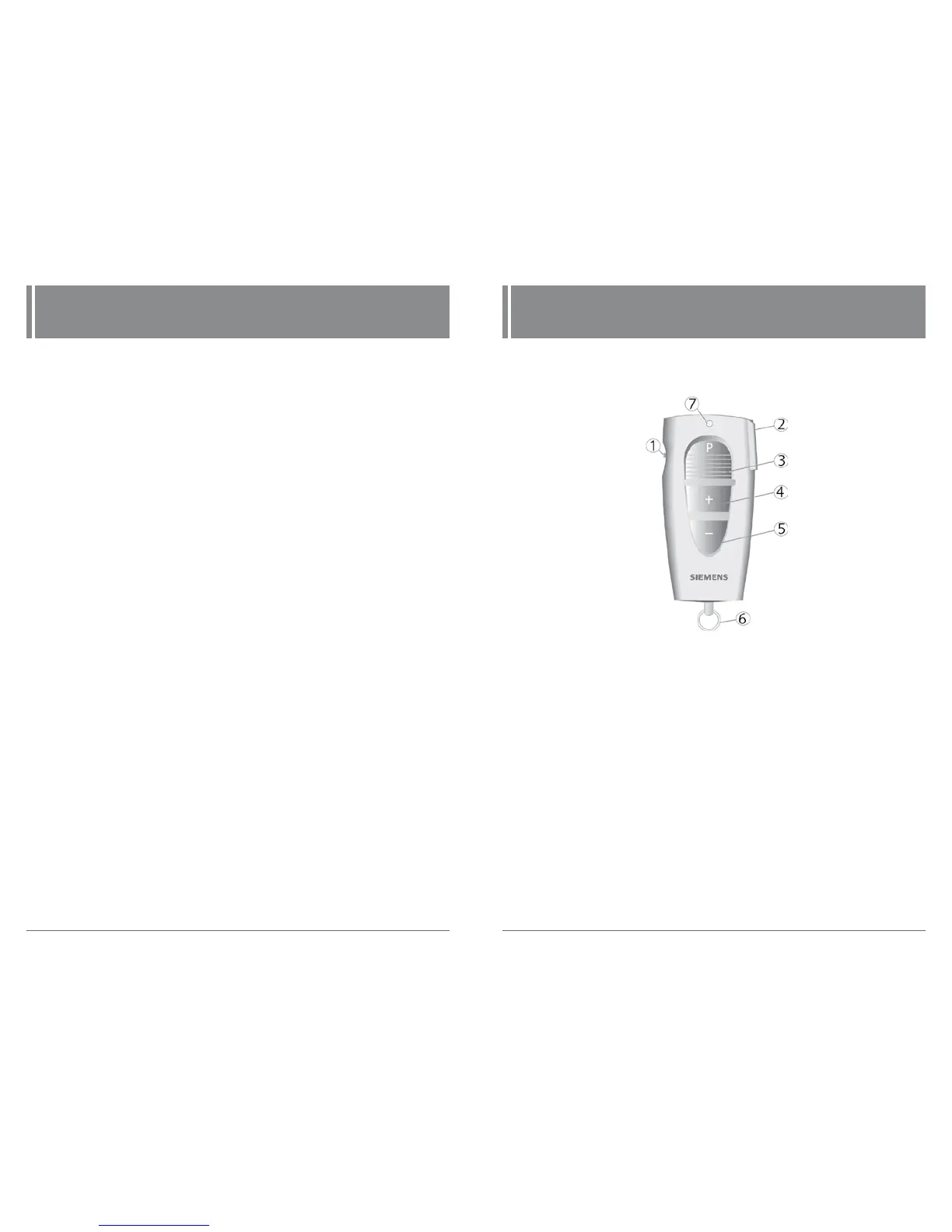
Your Remote Control
ProPocket
™
Remote Control
1 Lock switch
2 On/Off of hearing instruments
3 Program change
4 Volume up
5 Volume down
6 Accessory ring
7 LED
Fig. 1: ProPocket remote control



 To Next Page