EasyManua.ls Logo

Siemens Vibe - User Manual

Siemens Vibe
52 pages
Print Icon
To Next Page IconTo Next Page
Loading...
A
Vibe
User Guide

Questions and Answers

  • O
    Olivia SosaJul 26, 2025
    What to do if my Siemens Vibe Hearing Aid does not work?
    • C
      Christina McmahonJul 26, 2025
      If your Siemens Hearing Aid isn't working, try these steps: First, ensure the device is powered on. Then, check that the top cover is fully closed and that the battery is correctly inserted. Replacing the battery may also solve the problem. Finally, wait 18 seconds and check the device again.
  • D
    Dean KingAug 3, 2025
    How to stop whistling sound in Siemens Hearing Aid?
    • W
      wellsshannonAug 3, 2025
      If your Siemens Hearing Aid emits a whistling sound, ensure the receiver mold or dome is properly seated. Try reinserting it until it fits securely. Additionally, cleaning the receiver mold or dome, or cleaning/exchanging the top cover may resolve the issue.
  • J
    Joseph PrinceAug 10, 2025
    How to fix weak sound on Siemens Vibe?
    • K
      Kelsey BrewerAug 11, 2025
      If the sound from your Siemens Hearing Aid is weak, try replacing the old battery. Also, cleaning the receiver mold or cleaning/changing the dome, and cleaning/exchanging the top cover can help.
  • K
    Kevin PatelAug 18, 2025
    What to do if Siemens Vibe Hearing Aid sound is distorted?
    • M
      mathew12Aug 18, 2025
      If the sound from your Siemens Hearing Aid is distorted, try replacing the old battery. Cleaning the receiver mold or cleaning/changing the dome may also resolve the issue.

Summary

Siemens Vibe Hearing Instrument Overview

Key Components and Features

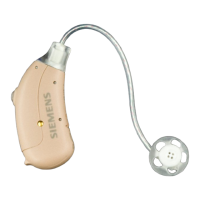
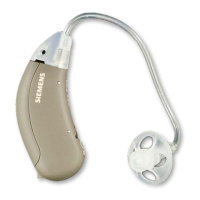
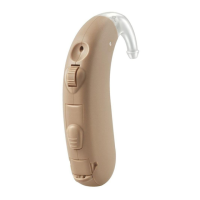
Lists and describes parts like receiver unit, body, push button, dome, mold, guards, covers, and tool.

Intended Use and Safety Symbols

Understanding Safety Symbols

Explains the meaning of warning, caution, notice, and instruction symbols used in the manual.

General Safety Precautions

Environmental Sensitivity

Advises protecting the instrument from heat, humidity, magnetic fields, and X-rays.

Child Safety and Choking Hazards

Warns about choking hazards from small parts and the need for supervision.

Hazardous Environment Use

Prohibits use in explosive environments.

Earpiece Usage Safety

Cautions on proper attachment and use of domes/molds to prevent injury.

Opening the Top Cover

Opening Procedure and Caution

Step-by-step guide to opening the top cover and a note on small parts.

Handling Batteries

Battery Type and Insertion

Specifies battery size 10 and correct positive side insertion.

Low Battery Indicator

Explains how the instrument signals a low battery status.

Battery Replacement Procedure

Details removing old batteries and inserting new ones correctly.

Inserting and Removing the Hearing Instrument

Insertion and Removal Guide

Step-by-step instructions for inserting and removing the hearing instrument.

Turning Hearing Instruments On and Off

Power Operations and Delay Feature

Explains turning the instrument on/off and the power-on delay feature.

Changing the Hearing Program

Program Selection Procedure

Details how to switch between listening programs using the button.

Maintaining the Hearing Instrument

Daily Care and Cleaning

Advises on general cleaning and avoiding water exposure.

Advanced Cleaning and Storage

Instructions for cleaning the top cover and using a dry aid kit.

Domes and Receiver Molds

Types of Earpieces

Illustrates and describes Dome with C-Guard, Grid-Dome, and Receiver Mold.

Earpiece Care and Handling

Warns against improper cleaning methods for domes and molds.

Maintaining Domes and Receiver Molds

Cerumen Removal from Earpieces

Guides on cleaning cerumen from earpieces using tissues.

Replacing Domes and C-Guards

Instructions for replacing domes and C-guards on receiver molds.

Troubleshooting Hearing Instrument Issues

Sound Problem Solutions

Solutions for weak or distorted sound.

Operational Issue Solutions

Solutions for whistling sounds, signal tones, and non-operation.

Technical Information

Regulatory Compliance

States compliance with FCC and Industry Canada rules.

Interference Mitigation

Provides steps to resolve radio or TV interference.

Hearing Instrument Configuration

Instrument Settings Overview

Details left/right settings like model, battery, push button, and signal tones.

Custom Program Configuration

Space to record personalized hearing program descriptions.

Disposal Information

Disposal and Recycling Guidelines

Mentions EU directives and recycling advice for instruments and batteries.

EU Disposal Addresses and CE Marking

Lists addresses for EU disposal and explains CE marking.

Siemens Vibe Specifications

General IconGeneral
Battery Size312
WirelessYes
TypeDigital
Power SourceBattery
Battery TypeZinc-Air
Wireless ConnectivityBluetooth
Noise ReductionYes
Feedback CancellationYes
Tinnitus MaskerYes

Related product manuals