EasyManua.ls Logo

SightCare CLOVER 6 - User Manual

SightCare CLOVER 6
50 pages
Print Icon
To Next Page IconTo Next Page
Loading...
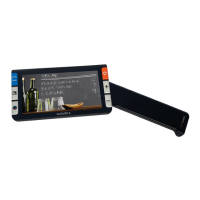
CLOVER 6
Handheld Video Magnifier
User Guide
Rev C
Question and Answer IconNeed help?

Do you have a question about the SightCare CLOVER 6 and is the answer not in the manual?

Summary

Safety Precautions

Quick Start

Overview

Introduction to the CLOVER 6 magnifier and its key features.

Device Components

Accessories

Charging the Battery

Power LED Indicator

Using the Stand

Handle Operation

Operation

Power Button

How to use the power button for turning on/off, sleep mode, and menu access.

Setting Menu

Magnification

Brightness

Color Mode

Lighting

Freeze

Image Storage

Playback

Multi-Selection

Line and Mask

Live Panning

Focus Control

HDMI Output

USB Transfer

Power Frequency

Memory

Auto Power Saving

Restore

Hardware Reset

Troubleshooting

The unit does not turn on

Steps to resolve issues where the device fails to power on.

Black screen or White screen

Solutions for problems causing a black or white display screen.

The image does not change

How to fix problems where the displayed image does not update correctly.

Smudges or blemishes on the screen

Tips for cleaning the screen and camera to resolve smudges.

Specifications

SightCare CLOVER 6 Specifications

General IconGeneral
Display TypeLCD
Charging Time3 hours
Focus TypeAuto-focus
Color ModesFull Color, Black/White
Dimensions80 mm
Battery Life4 hours
FeaturesAdjustable Brightness

Related product manuals