Need help?
Do you have a question about the SightCare CloverBookXL Lite and is the answer not in the manual?
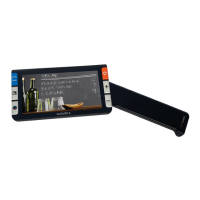
Introduction to the CloverBook XL portable video magnifier, highlighting its features and benefits for low vision users.
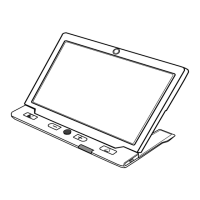
Instructions on how to set up the CloverBook XL device, including placing it on a flat surface and adjusting the handle.
Instructions for setting up the optional distance camera by rotating the camera stick.
Instructions for attaching the optional light shield to the back of the device.
How to turn the unit on/off, check battery status, and enter sleep mode.
Instructions for using the Home/Exit button to navigate applications and control bars.
How to adjust the zoom level using the zoom button or pinch gestures.
How to adjust the screen brightness using the control bar or zoom button.
Explanation of predefined color modes and how to switch between them.
How to adjust contrast ratios and manual contrast settings using buttons and gestures.
How to control the built-in lights, individually or together, using the control bar.
How to adjust button/voice volume and text-to-speech volume using buttons or gestures.
How to freeze a live image for detailed viewing, magnification, or color changes.
How to store the current image and use voice labels for recording.
How to switch between Near View, Distance/Mirror View, and Split Screen modes.
How to rotate the position knob to switch between distance and mirror views.
Using the distance camera for reading and handwriting in Distance View/Mirror View Mode.
How to display Near View and Distance/Mirror view simultaneously on the screen.
Describes Screen Copy, Screen Extend, and Screen Enlarge options for dual display.
How to toggle between main and external screens for split screen display in dual mode.
How to activate and use the Full Page OCR mode for reading entire documents.
How to activate and use Current Page OCR for recognizing and reading the current zoomed text.
How to start/stop reading, highlight, and navigate sections in single-selection mode.
Settings for Color Mode, Voice Label, Tilt Compensation, and Power Saving.
Settings for Gender Voice, Language, Current Page Text to Speech, and Table Recognition.
Settings for System Reset and Power Frequency.
Steps to resolve issues where the unit fails to power on.
Solutions for screen display issues like black or white screens.
Steps to fix issues where the displayed image remains static.
Advice on cleaning the screen and camera for better image quality.
Troubleshooting steps for when the image appears blurry or not in focus.
Solutions for miscellaneous issues, including restoring factory defaults.
 Display
| display size | 15.6 inch |
|---|---|
| screen resolution | 1920*1080 |
 Camera
| camera resolution | Ultra HD 4K |
|---|---|
| video resolution | 3840*2160 |
 Battery
| battery type | Detachable rechargeable Li battery Pack |
|---|---|
| battery life | 4.5 hours continuous use |
| battery charge time | 3 hours |
 Power
Power| power adapter input | 100-240V |
|---|---|
| power adapter output | 12V/3A |
 Ports & Interfaces
| connection options | SD Card, USB Disk, HDMI In, HDMI Out |
|---|
 Weight and Dimensions
| dimensions | <= 450 325 49mm (Device folded) |
|---|---|
| weight | <= 4750g (Battery included) |


 To Next Page