- 8 -
PROGRAMMING & SETUP
1) Upon power up, the opening screen shows the model number and the current revision level.
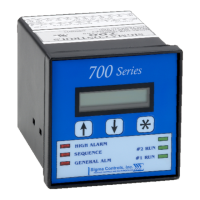
2) After the unit has completed its startup procedure, the current status screen will automatically appear.
3) To begin the programming sequence, press the button and the password screen appears:--
Use the buttons to enter the access password and to view a programming menu
item such as “SETPOINTS”.
4) Press the button to access the ‘SETPOINTS” menu.
Model #
Revision Level
Current Temperature
Value
Temperature
Set Points
Output


 To Next Page