- 9 -
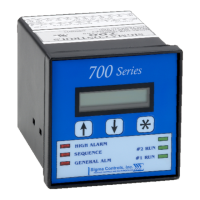
Use the buttons to change the primary alarm ‘on’ setpoint value, press to save and
advance to the secondary alarm set points.
The alarm delay setpoint allows user selection of a delay in alarm notification. Use the buttons to
set the alarm delay time as required.
5) Press the up button to advance to the ‘SCALING’ screen to program the displayed value for the
4-20MA input.
HINT:
HOLDING THE
KEY FOR 3 SECONDS WILL SHOW THE
PREVIOUS SCREEN.
Press to enter the ‘SCALING’ menu.


 To Next Page
 Loading...