
 Need help?
Do you have a question about the signia Motion SP primax and is the answer not in the manual?
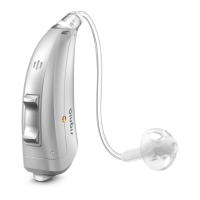
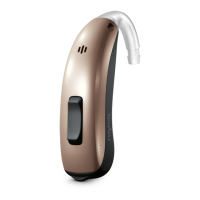
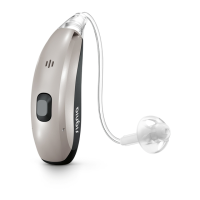
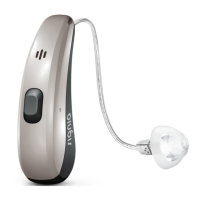
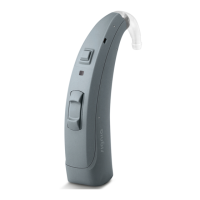
Describes the BTE (Behind-The-Ear) model and suitability for children.
Advises familiarizing with controls and suggests remote control options.
Details specific functions assigned to rocker switch operations like volume and focus.
Details specific functions assigned to push button operations like program changes.
Describes the function to lock or unlock the controls on the hearing instruments.
Lists available hearing programs (1-6) and refers to program change section.
Introduces special features like Power-on delay, AutoPhone, TwinPhone.
Provides advice on correct battery size and handling practices for hearing instruments.
Step-by-step instructions for removing and inserting batteries into the hearing instrument.
Explains the optional child-safe battery compartment and how to open it.
Instructions on how to turn the hearing instruments on and off using battery compartment or push button.
Guidance on correctly inserting and removing the hearing instruments from the ear.
How to adjust the hearing instrument volume manually or automatically.
Steps to change the hearing program using controls or remote.
How to lock or unlock the hearing instrument controls to prevent accidental operation.
Explains how to make further adjustments like sound balance or tinnitus signal level.
How to adjust directional focus for conversation or environment using spatial configurator.
Guidance on using the hearing instruments while on the phone, including telephone programs.
How hearing instruments receive audio signals via induction loops in public places.
Connecting hearing instruments to an FM system for clearer audio input.
Advice on drying, storage, and cleaning of the hearing instruments.
Instructions for cleaning ear pieces and tubes to maintain sound quality.
Information on professional cleaning and maintenance services.
Directs users to the safety manual for comprehensive safety details.
Explains the wireless synchronization and remote control capabilities.
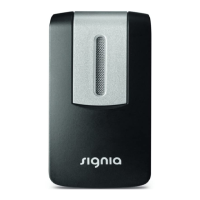
Lists available accessories like remote controls and smartphone apps.
Explains the meaning of symbols used throughout the user guide.
Provides solutions for common problems encountered with the hearing instruments.
Information relevant to specific countries, not detailed here.
Information on serial numbers, service dates, and warranty details.
 General
| Brand | signia |
|---|---|
| Model | Motion SP primax |
| Category | Hearing Aid |
| Language | English |



 To Next Page