
 Need help?
Do you have a question about the signia Motion Charge&Go Nx and is the answer not in the manual?
Introduces the guide and its purpose in understanding hearing instrument advantages.
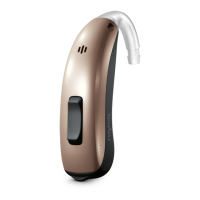
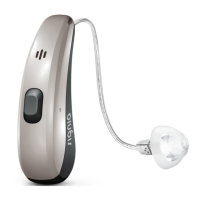
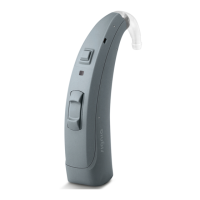
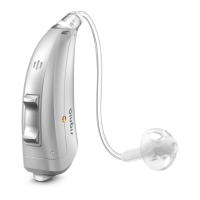
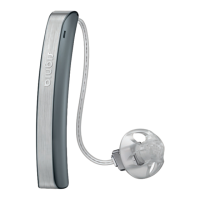
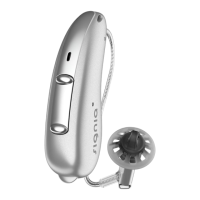
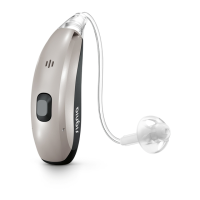
Describes the BTE model, rechargeable battery, and wireless connectivity features.
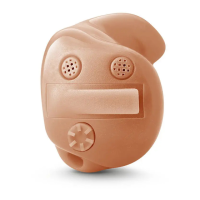
Identifies and illustrates the various parts and components of the hearing instruments.
Describes the tinnitus therapy feature, which generates a sound to distract from tinnitus.
Explains how to use standby mode to mute instruments and its power implications.
Warns users not to insert the ear piece too deeply into the ear canal to prevent injury.
Explains how to position the retention strand to securely keep the ear piece in place.
Warns about the rare possibility of the ear piece remaining in the ear.
Explains how hearing instruments automatically adjust volume and manual adjustment via button.
Introduces specific scenarios where special listening adjustments or programs might be needed.
Guidance on aligning the phone receiver and using a dedicated telephone program.
Provides daily cleaning instructions for the hearing instruments using a soft, dry tissue.
Explains the role of the charger in drying instruments and other drying methods.
Specific cleaning and exchange instructions for ear pieces and tubes on ThinTube models.
Guidance on cleaning ear pieces and advice for earhooks and associated tubing.
Detailed method for cleaning ear pieces using a soft, dry tissue to prevent hardening.
Instructions for removing used ear pieces and attaching new ones.
Guidance on unscrewing used tubes and screwing on new ones.
Outlines the professional cleaning and maintenance services offered by a Hearing Care Professional.
Warns about the risks of injury, fire, or explosion associated with the built-in power cell.
States that all replacement and repair procedures must be performed by a qualified professional.
Directs users to the safety manual for more comprehensive safety details.
Lists examples of available accessories and mentions specialized solutions like CROS.
Details the recommended temperature and humidity ranges for operating and storing the devices.
Advises on environmentally friendly disposal of hearing instruments and power cells.
Clarifies the 'Made for' certification and Apple's performance standards for accessories.
Provides steps to resolve weak sound issues, including volume checks and cleaning.
Offers solutions for whistling sounds, such as reinserting the ear piece correctly.
Provides troubleshooting steps to address distorted audio output from the hearing instruments.
Suggests charging the hearing instrument when it emits signal tones.
Outlines the steps to take if the hearing instrument is not functioning correctly.
 General
| Technology Level | Premium |
|---|---|
| Technology | Nx |
| Rechargeable | Yes |
| Charging Time | 3 hours |
| Connectivity | Bluetooth |
| Wireless Connectivity | Yes |
| Water Resistance | IP68 |
| Programs | Multiple |
| Tinnitus Masking | Yes |
| Directional Microphones | Yes |
| Feedback Cancellation | Yes |
| Noise Reduction | Yes |
| Wind Noise Reduction | Yes |
| Telecoil | Yes |
| App Control | Yes |
| Compatibility | iOS and Android |
| Type | Receiver-in-canal (RIC) |
| Channels | 16 |
| Battery Type | Lithium-ion |



 To Next Page