EasyManua.ls Logo

signia Styletto X - User Manual

signia Styletto X
93 pages
Print Icon
To Next Page IconTo Next Page
Loading...
User Guide
Styletto X and
Styletto X Charger

Table of Contents

Question and Answer IconNeed help?

Do you have a question about the signia Styletto X and is the answer not in the manual?

Summary

Your Hearing Instruments

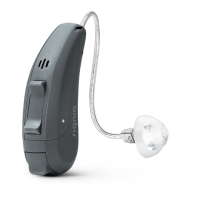
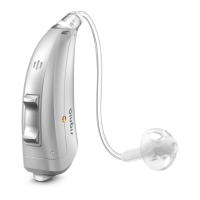
Instrument Type

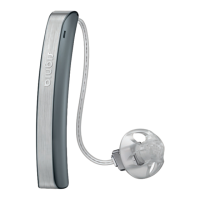
Describes the RIC model and age restrictions for the hearing instruments.

Your Hearing Instruments

Getting to Know Your Hearing Instruments

Explains that instruments have no controls and suggests a remote control option.

Components and Names

Hearing Programs

Features

Daily Use

Daily Use

Safekeeping

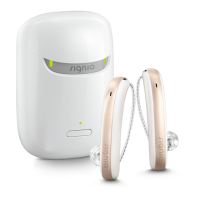
How to store hearing instruments safely in the charger.

Turning the Charger On or Off

Instructions for powering the charger on and off.

Daily Use

Charging Hearing Instruments

Step-by-step guide for placing instruments in the charger.

Daily Use

Charging Status of Hearing Instruments

Explains LED indicators for instrument charging status.

Daily Use

Low Power Indication of Hearing Instruments

Alerts for low battery and remaining usage time.

Turning On and Off Hearing Instruments

Methods for powering instruments on and off.

Daily Use

Switching to Standby Mode

How to put instruments into standby mode and its implications.

Inserting and Removing the Hearing Instruments

Inserting and Removing the Hearing Instruments

The Optional Retention Strand

How to position the retention strand for a secure fit.

Inserting and Removing the Hearing Instruments

Removing a Hearing Instrument

Step-by-step guide to safely remove hearing instruments.

Adjusting the Volume

Changing the Hearing Program

Charging the Internal Battery of Your Charger

Charging the Internal Battery of Your Charger

Charging the Internal Battery with Wireless Qi-Charging

Details how to charge the charger using a wireless Qi pad.

Charging the Internal Battery of Your Charger

Charging Status of Your Charger

Explains charger LED indicators for battery status.

Checking the Battery Capacity of Your Charger

Special Listening Situations

On the Phone

Advice on holding the phone receiver for better sound.

Special Listening Situations

Telephone Program

How to configure and use a telephone program.

Special Listening Situations

Audio Streaming with iPhone

Information on using instruments with iPhones for calls and music.

Special Listening Situations

Airplane Mode for Hearing Instruments

How to disable Bluetooth for specific environments.

Frequently Asked Questions

Why do my hearing instruments not turn on when I take them out of the charger?

Troubleshooting steps for instruments not turning on.

Frequently Asked Questions

How can I turn off my hearing instruments without charging them?

Procedure to turn off instruments without the charger.

Frequently Asked Questions

What Should I Pay Attention to When Charging?

Precautions and guidelines for charging instruments.

Maintenance and Care

Hearing Instruments

Specific care instructions for the hearing instruments.

Maintenance and Care

Drying

Methods for drying hearing instruments.

Storage

Guidelines for short-term and long-term storage.

Ear Pieces

Cleaning

How to clean ear pieces to maintain sound quality.

Ear Pieces

Exchanging

When and how to exchange ear pieces.

Ear Pieces

Exchanging Click Domes

Specific instructions for exchanging Click Domes.

Ear Pieces

Exchanging Click Sleeves

Specific instructions for exchanging Click Sleeves.

Charger

Cleaning

How to clean the charger safely.

Professional Maintenance

Important Safety Information for Hearing Instruments and Charger

Safety Information on Lithium-Ion Rechargeable Batteries

Warnings and safety precautions for the built-in batteries.

Safety Information for Hearing Instruments

Safety Information for Charger

Personal Safety for Charger

Safety warnings related to electrical shock and device integrity.

Product Safety for Charger

Product Safety Notices

Protect from heat, humidity, microwave drying, and dropping.

Requirements for the Electrical Plug

Further Information

Accessories

Information on available accessories and where to get more.

Operating, Transport and Storage Conditions for Hearing Instruments and Charger

Disposal Information

Symbols

Symbols on the Device or Packaging

CE Compliance Label

CE mark indicating compliance with European directives.

EMC and Radio Communications Compliance Label

EMC and radio compliance label for Australia.

Manufacturer Identification Symbol

Symbol indicating the legal manufacturer.

Disposal Symbol

Symbol for proper disposal, not in household trash.

Symbols on the Device or Packaging

Medical Device Symbol

Indicates the device is classified as a medical device.

Qi Wireless Charging Compatibility Symbol

Symbol indicating Qi wireless charging compatibility.

Bluetooth Low Energy Technology Symbol

Symbol indicating Bluetooth LE technology.

Symbols on the Device or Packaging

Made for iPhone | iPad | iPod

Explains the 'Made for' program for Apple devices.

Troubleshooting for Hearing Instruments

Sound is Weak

Steps to resolve weak sound issues.

Hearing Instrument Emits Whistling Sounds

Solutions for whistling sounds from the hearing instrument.

Troubleshooting for Hearing Instruments

Sound is Distorted

Steps to resolve distorted sound issues.

Hearing Instrument Emits Signal Tones

Explains signal tones and their meaning.

Hearing Instrument Does Not Work

Troubleshooting steps for non-functional instruments.

Troubleshooting for the Charger

No LED Lights Are On

Steps to take if charger LEDs are not lit.

Troubleshooting for the Charger

LEDs Are Pulsing Orange

Explains pulsing orange LEDs indicating a cooling phase.

Troubleshooting for the Charger

Charger LED is Blinking Red

Steps to resolve charger errors indicated by red blinking LEDs.

Troubleshooting for the Charger

Hearing Instruments LED is Blinking Red

Steps to resolve instrument errors indicated by red blinking LEDs.

Country-Specific Information

USA and Canada

FCC and IC certification details for wireless functionality.

Important Information

Conformance Information for Charger

CE marking and European directive compliance details.

Important Information

EN 55011:2016; A1:2017 Group 2 Class B Compliance

Compliance statement for electromagnetic compatibility.

Important Information

FCC and Canadian Compliance (Part 18)

FCC and Canadian compliance for Part 18 operation.

Operation Conditions

Conditions for interference and safe operation (20 cm distance).

Service and Warranty

signia Styletto X Specifications

General IconGeneral
TypeReceiver-In-Canal (RIC)
ConnectivityBluetooth
RechargeableYes
Direct StreamingYes
Water ResistanceIP68
On-the-go chargingYes
Technology PlatformXperience
Frequency Range100 Hz - 10, 000 Hz
ColorsBlack, Silver, Gold

Related product manuals