Need help?
Do you have a question about the SIIG CE-H22S11-S1 and is the answer not in the manual?
Highlights key features like 4K resolution, 3D support, and durable aluminum construction.
Details front panel components: IR Receiver, Input LEDs, Power LED, and Source Selection.
Describes rear panel connections: HDMI Output, HDMI Inputs, and Power Plug.
Explains operation of Standby, Previous, Next, and Input Select buttons on the remote.
Guides users through submitting an RMA request for product repair or replacement.
Provides instructions for packing and shipping products for warranty service.
The Premium 5-Port HDMI 2.0 Switch with IR Remote Control - 4Kx2K 60Hz is a versatile device designed to streamline your home entertainment or professional setup by allowing you to connect multiple HDMI sources to a single HDMI display. This switch acts as a central hub, enabling seamless switching between up to five different HDMI input devices, such as gaming consoles, Blu-ray players, streaming devices, or computers, and displaying their content on one TV or monitor. Its primary function is to eliminate the need for constantly plugging and unplugging HDMI cables, providing a convenient and organized solution for managing multiple HDMI sources.
One of the key usage features of this HDMI switch is its support for high-resolution video, specifically up to 4Kx2K at 60Hz. This ensures that you can enjoy crystal clear picture quality from your connected devices, preserving the integrity of high-definition and ultra-high-definition content. Whether you're watching a 4K movie, playing a demanding video game, or presenting high-resolution graphics, the switch is engineered to deliver an uncompromised visual experience. Beyond 4K, it also supports a range of other common resolutions, including 2160p, 1080p, 1080i, 720p, and 480p, making it compatible with a wide array of displays and source devices.
The device is also designed with backward compatibility in mind, supporting HDMI 2.0 and HDCP 2.2, while also being compatible with previous HDMI versions. This means you can integrate older HDMI devices into your setup without issues, ensuring flexibility and longevity for your existing equipment. Additionally, it supports 3D content, allowing you to enjoy immersive 3D movies and games if your display and source devices are also 3D-capable.
Ease of use is a significant aspect of this HDMI switch. It features built-in power and signal indicators on the front panel, which make the operational status easy to recognize at a glance. These LEDs illuminate to show which input source is currently active and confirm that the unit is powered on. The front panel also includes a manual source selection button, allowing you to cycle through the inputs directly on the device. For added convenience, an IR remote control is included, enabling you to switch between sources from a distance. The remote control offers dedicated buttons for each input (1-5), as well as "Previous" and "Next" buttons for sequential switching. It also has a "Standby" function, which can be used to temporarily disable input signal detection, and can be pressed again to re-enable it. This remote control functionality enhances user experience, especially in home theater environments where the switch might not be within arm's reach.
Installation of the switch is straightforward. You begin by powering off all source devices and displays. Then, you connect your HDMI source devices to the switch's HDMI input ports using HDMI cables (not included). Next, connect your HDMI display or TV to the switch's HDMI output port, again using an HDMI cable. Finally, connect the included power adapter to the switch's power plug and plug it into a reliable power outlet. Once all connections are made and power is supplied, you can power on all connected devices, and the switch will be ready for use. The device is designed to be plug-and-play, minimizing setup complexity.
In terms of maintenance features, the device's aluminum construction is a notable aspect. This robust housing improves overall durability and reliability, protecting the internal components from everyday wear and tear. The combination of aluminum and plastic in its build ensures a sturdy yet lightweight design. While specific cleaning instructions are not detailed, the durable construction suggests that the device is built to last and withstand regular use in various environments. The product is backed by a 2-year manufacturer warranty, covering defects in materials or workmanship, which provides peace of mind regarding its long-term performance. Should any issues arise, troubleshooting steps are provided, such as checking power connections, HDMI cable integrity, correct TV input selection, and display modes when connected to a computer. For unstable picture or audio, users are advised to check connections, try direct connections to the TV, and use high-quality HDMI cables (HDMI 1.4/2.0). If problems persist, technical support and RMA procedures are available through the manufacturer's website.
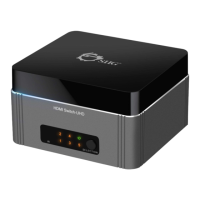
The compact design of the switch, with its black and deep grey color scheme, allows it to blend discreetly into most entertainment setups. Its physical layout includes clearly labeled HDMI input and output ports on the rear, along with the power plug, ensuring an organized cable management. The front panel, as mentioned, houses the IR receiver, input LEDs, power LED, and the manual source selection button. This thoughtful design contributes to both its aesthetic appeal and functional efficiency. The device is designed for an operating temperature range of 32 to 140 degrees F and a storage temperature range of 14 to 158 degrees F, with an operating humidity of 5% to 90% RH (non-condensing), indicating its suitability for typical indoor environments.
 General
| Product Name | SIIG CE-H22S11-S1 |
|---|---|
| Category | Switch |
| Type | HDMI Switch |
| Remote Control Included | Yes |
| Power Supply | 5V DC |
| Power Source | AC adapter |
| Maximum Resolution | 4K@60Hz |
| Supported Resolutions | 480i, 480p, 720p, 1080i, 1080p, 4K |
| HDMI Version | 2.0 |
| HDCP Version | 2.2 |
| Switching Method | Manual |
| Audio Support | Dolby TrueHD, DTS-HD, LPCM 7.1 |

 To Next Page