EasyManua.ls Logo

SIIG USB 3.0 - User Manual

SIIG USB 3.0
8 pages
Print Icon
To Next Page IconTo Next Page
Loading...
1
04-0695B
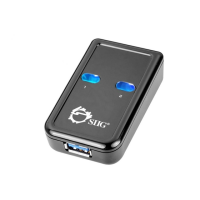
USB 3.0 Switch 2-to-1
Quick Installation Guide
Introduction
The USB 3.0 Switch 2-to-1 is designed to share
USB device(s) between multiple systems.
Key Features and Benefits
Shares a USB device between 2 two systems
– PCs and/or Macs
Compliant with Universal Serial Bus 3.0
SpecificationThat
USB bus powered – no external power
supply needed
System Requirements
Desktop or notebook computer with an
available USB port (USB 3.0 recommended)
Windows
®
8 (32-/64-bit) / 7 (32-/64-bit) /
Vista (32-/64-bit) / XP (32-/64-bit) / Server
2003 & 2008 (32-/64-bit) / Server 2008 R2
Mac OS X v10.3 or later
Question and Answer IconNeed help?

Do you have a question about the SIIG USB 3.0 and is the answer not in the manual?

SIIG USB 3.0 Specifications

General IconGeneral
InterfaceUSB 3.0
Ports4
Data Transfer RateUp to 5 Gbps
CompatibilityWindows, Mac, Linux
Power SourceBus-powered

Summary

Introduction

Key Features and Benefits

System Requirements

Package Contents

Layout

Hardware Installation

Software Installation

Connecting USB Devices

Windows Device Switching

Mac OS Device Switching

Memory Card Readers

Instructions for safely removing and switching memory card readers between systems.

Mass Storage Devices

Steps for safely ejecting and switching flash drives, external hard drives, and CD-ROMs.

Other USB Devices

Procedure for switching other types of USB devices.

Application

Technical Support and Warranty

About SIIG, Inc.

Related product manuals