UM_FULL_55SL_REV_A 9
ADVANCED USER’S MODE
LCD REMOTE CONTROL PROGRAM SETTINGS
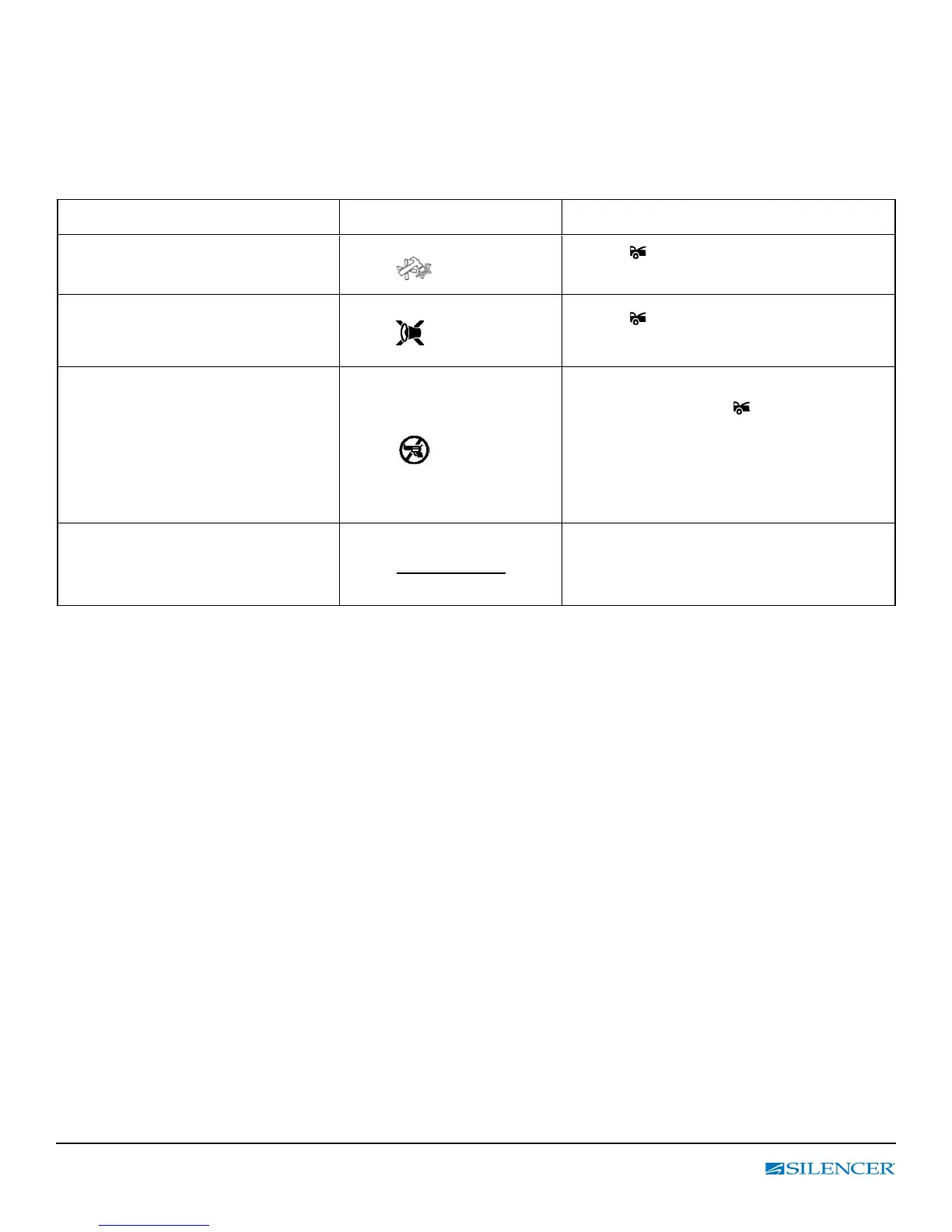
Table 1: Pre-Arm Settings
ENTER: Press & hold “ F “ button until one beep is heard then release F-button.
Next, press F button within 5 sec. to move forward to the feature option you want to program.
F Button
LCD Display Indicator Button
Press and hold the
F Button
until 1 beeps sound
1 – 1
icon On
Press
button to enable the alarm
arm and bypass the Shock Sensor.
Press and release the
F button
a 2
nd
time (1 beep)
1 – 2
icon On
Press
button to enable the alarm
arm with Hidden Alarm Function.
Press and release the
F button
a 3rd time (1 beep)
1 – 3
icon On
With the ignition key in the “on”
position, press the
button to
activate the anti-car jacking functions.
Note: The anti-carjacking feature
must be programmed on at
installation for this feature to operate
Press and release the
F button
a 4th time (1 beep)
1 - 4 No Function
EXIT: Press & hold “ F “ button for 2 sec. or do nothing for 5 sec. for automatic exit.
(1 beep = Conrm Exit)



 To Next Page