UM_FULL_55SL_REV_A 10
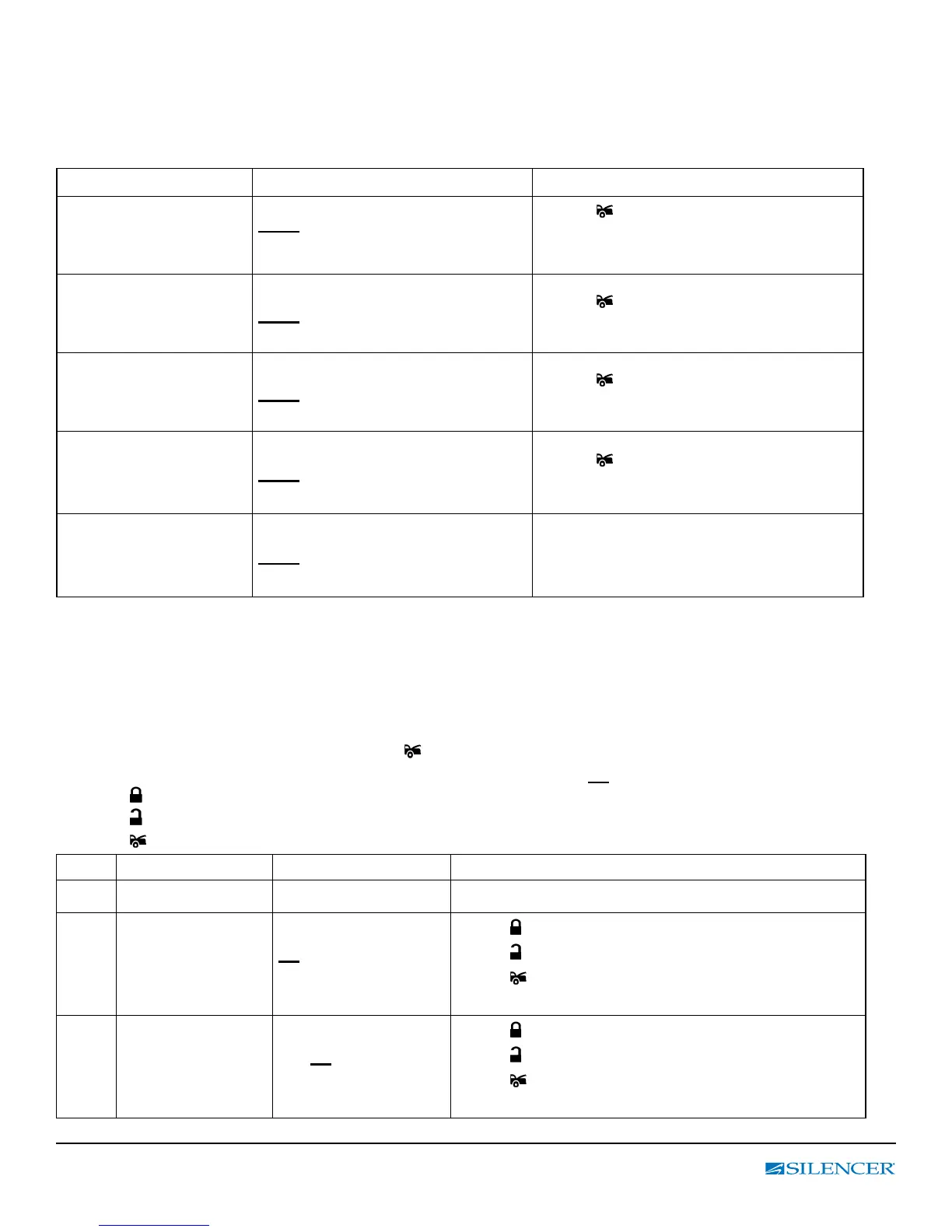
Table 2: System Check Functions
ENTER: Press & hold “ F “ button until 2 beeps are heard then release F-button.
Next, press “F” button within 5 sec. to move forward to the feature option you
want to program.
F Button
LCD display Indicator Button
Press and hold the
F button until 2 beeps
are heard
2 – 1 (2- Way LCD Manual
Program Mode)
Press
button twice to enter
programming menu mode for clock
setting (see below)
Press and release the
F button a 2
nd
time
(1 beep)
2 – 2 STATUS CHECK
Press
button to enable vehicle’s
status check.
Press and release the
F button a 3rd time
(1 beep)
2 – 3 ALARM CHECK
Press
button to enable vehicle’s
trigger status check.
Press and release the
F button a 4
th
time
(1 beep)
2 – 4 VOLTS CHECK
Press
button to enable vehicle’s
voltage check.
Press and release the
F button a 5th time
(1 beep)
2 – 5 No Setting No Setting Available
EXIT: Press & hold “ F “ button for 2 sec. or wait for 5 sec. for automatic exit.
(1 beep = Conrm Exit)
Table 3: LCD Programming
ENTER: Press & hold “ F “ button until 2 beeps are heard and then release;
1. The LCD will display “ 2 – 1”. Press the
button twice to enter Clock Setting Mode (21 1).
(The LCD will display the clock and the hours will be ashing (12:00).
2. Press button to increase value, or Enable the selected feature.
3. Press button to decrease value, or Disable the selected feature.
4. Press button to conrm its selection, move to the next setting.
Order Menu Option LCD display Functions
1st Clock Setting
21 1
Default is 12:00 (Only on rst time setting)
Adjust clock hours
from 0 to 12
12 : 00
12 is ashing
Press
button = (+) or
Press
button = (-)
Press
button conrm its selection, move to
the minutes setting.
Adjust clock minutes
from 0 to 59
12: 00
00 is ashing
Press
button = (+) or
Press
button = (-)
Press
button conrm its selection, move to
next option (21 2).



 To Next Page