UM_FULL_55SL_REV_A 13
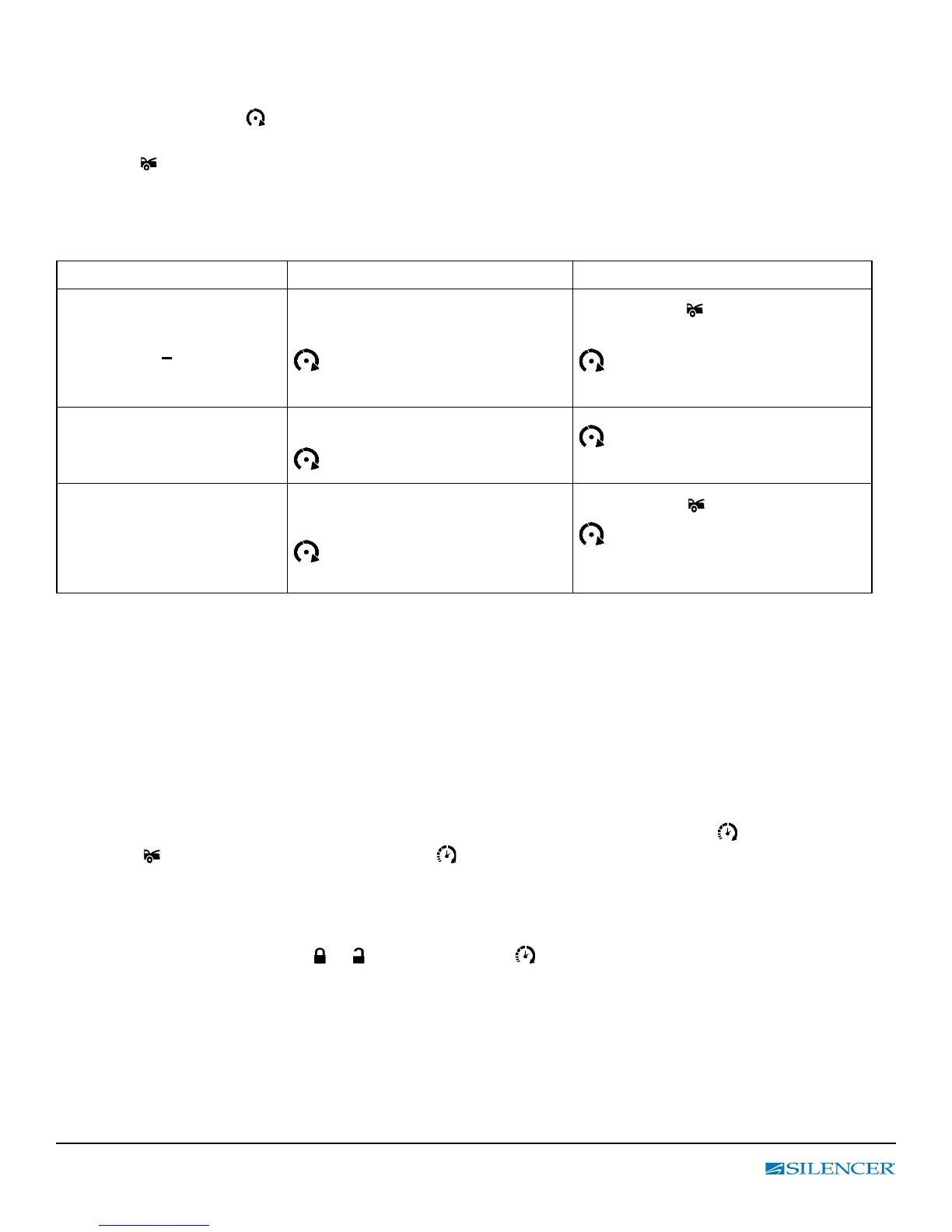
Table 4: Remote Start Quick Feature Programming
ENTER: Press & hold “ F “ button until 3 beeps are heard then release;
LCD displays ashing
icon rst, press and release “F” button to move blinking cursor to the
desired icon that you want to program.
Press the button to enable the feature.
Note: Cursor method: a constant illumination means the selected feature is enabled.
Exit: Press & hold “ F “ button for 2 seconds or do nothing wait for 5 seconds for automatic exit.
(1 beep) = Conrm Exit.
F Button
LCD display • Button
Press and hold the “F”
Button until 3 beeps have
sounded
3 - 1
Icon ashing
Press
button to enable
Turbo Timer mode.
icon ash = Enable
Icon Off = Disable
Press & Release “ F”
button to move cursor
ash to Daily Start icon
3 – 2 then 24H
No Setting
No Setting Available
Press & Release “ F”
button to move cursor
ash to TIMER START
icon
3 – 3
Timer Start icon Flashing
Press button to enable
Timer Start mode.
Icon On = Enable
Icon Off = Disable
E. TIMER START:
Timer Start: Your Silencer System can be programmed to start and run the engine every 3 / 2
hours depending on the initial setup programming (Default timing is 3 hours).
IMPORTANT: Timer Start should be used only in open areas, never start and run the vehicle in an
enclosed space such as a garage or carport.
TIMER START:
Enter:
1. Turn the Ignition key On then Off
2. Within 15 seconds, press and hold the “F” button on the LCD remote until 3 beeps sound.
Release and press the “F” button (2) more times until the LCD displays the
icon ashing.
Press button to activate Time Start. The icon will illuminate on LCD display, parking light will
ash and siren chirps 3 or 2 times to conrm. The vehicle is now programmed to start every 3 or 2
hours. (Default setting is 3 hours (3 light ashes, 3 horn chirps) unless programming was changed)
Exit: Turn the Ignition On (LED and parking light ash 4 times, and siren chirp 4 times conrm exit
Timer Start). Press the
or button to turn off icon on 2-way remote.



 To Next Page