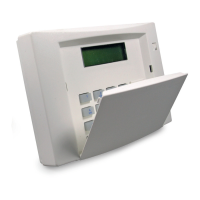
19
COPYRIGHT SILENTRON DFVPho neBasicX B07 0116GM
SILENTRON - ITALIA
By closing the small JP-bridge on the PCB the display will always be lighted. Pay attention to an increase of the consumption of t he devic e with
55mA appr oximatel y, and a co nseque nt re ducti on of the autonomy in c ase of l ac k o f suppl y.
6.8 CALL OBSTRUCTION ON THE DEVICE: by entering the user or installer code followed by "CANC" any calls in progress will be blocked.
7 EXAMPLE OF A HARD-WIRED CONNECTION BETW EEN VOCALPHONE AND A CONTROL PANEL (Silentron 5407 Evolution Top
DB) (see illustrated scheme at the end of this manual)
By connecting the two devices as illustrated, with default programmings of both the Vocalphone inputs and outputs with the exception of
output TC2 which has to be programmed as bistable (see 5.4 SETTINGS... TC2), the following will be obtained:
- voc al message 1 of general alarm – t o opp ortu nel y rec ord
- obstructi on of mess ag e 1 in c ase of the c on trol panel bei ng disarmed
- possibility to arm the panel by phone by calling the Vocalphone dialler and by digiting 21 ∗ 0 # – rec ord t he c omma nd on vocal
message 5. SMS 1 (to be opportunely written) will confirm the arming.
- possibility to disarm the panel by phone by calling the Vocalphone dialler and by digiting 21 ∗ 1 # – record the co mman d on vocal
message 5. SMS 2 (to be opportunely written) will confirm the disarming.
- receipt of SMS 2 on your hand y-p hone also when th e pan el is disar med by means of remote control or keypad.
ATTENTION !: there mu st always be a connection b etween t wo GND terminals wh en wh atever kind of control pan el is combin ed with
Vocalphone.
7.2 5402T Evolution Basic Top (by means of the special connector illustrated at the bottom of the manual)
Vocalphone Basic Evolution Basic Top Risultato
Voc1 Out_all Sending of Vocal message 1 in case of general alar m
Voc2 bat Sen ding of Voc al message 2 in case of low b att ery
Voc3 robber y Sen ding of Voc al message 3 in case of robber y
Voc4 tech nical Sen ding of Voc al message 4 in case of tec hnic al alar m
Out Key (tc2) In Key Programmed as bistabl e will allow the arming and disarming of the control panel
from distance - s ee par. 5.4
vbat vb at Power suppl y
Gnd Gnd Negative in c ommon f or ground
tamper In_tamper Signalling of tampering of Vocalphone to control panel. In order to open
Vocalphone pu t the c ontrol pa nel in tes t-status.
8 QUICK PROGRAMMING
Display Operation Par.
Models 514 7 and 5 461: ins ert the S IM wit ho ut the PIN co de ( or alternati vel y PIN = 1 234). 6.5
Insert the batter y and p o wer.
ITALIANO
CONFERMA
Select your lang uage wit h t he help of ↕ .
Each l anguage us es a diff erent control of the line tone.
4
ENGLISH
CONFIRM
Confirm with ↵.
In case of exit of maintenance: wait for 1 min. The codes will remain stored.
4
FACTORY CODE Enter 0000 followed from ↵. 4
DATE/TIME
SETTING
Enter the date followed from ↵. Enter the time followed from ↵. 4
USER CODE Enter a us er code followed from ↵. 4
INSTALLER CODE Enter an installer code followed from ↵. 4
E xa mpl e :
14/ 07/ 04
11 : 21
Enter the inst aller code agai n followed from ↵.
LISTING
CONFIRM
Confirm with ↵. 5.1
MEMORY Confirm with ↵.
ENTER NAME
01
Enter the first name to be listed followed from ↵ . (For use of the keypad see par. 3).
ENTER
PHONE NUMBER
Enter the phone number follo we d fro m ↵. Enter * (= ↑ ) bef ore t he nu mber to ca ncel control of t he line. F or
switch boards see p arag raph 5. 4 and below.
Example :
OFFICE 01
011 77 32 506
Confirm t he en tered data and their position ↵, followed from ↵ . Attentio n: 01 in dicates t he first positi on of the
list, not the number of the message.
VOCAL
MESSAG ES
- - - -
Digit 1, 2, 3 , 4 for c ombining t he vocal mess ag es required to this phone number, f ollowed from ↵ .
GSM models: proc ee d with the SMS numbered from 1 to 10 (f or 10 digit 0), t he n combi ne the tec hnic al SMS
from 1 t o 10 (see p aragraph 6. 1). Att ention: tec hnical messages 3,6, 9 and 10 will have to be enabled for
their
sendi ng . See par. 5.4 and b elo w.
DIRECT
ACCESS
Qualifies or less t his phone number for direct acc ess: ↕ followed from ↵. (Operative only for GSM). 6.3 -
6.6
MEMORY Proceed with th e entr y of the ne xt phone n umbers (6 4 optio ns). The last nu mber (6 4th.) is meant to
consult the GSM credit left. T o exit press ESC.
LISTING Go down with ↓.
MESSAG ES Confirm with ↵ : the displ ay will show VOCAL MESSAGES. Confirm with ↵ . 5.2


 To Next Page
 Loading...