EasyManua.ls Logo

Silhouette DWC053D1BSSPR - User Manual

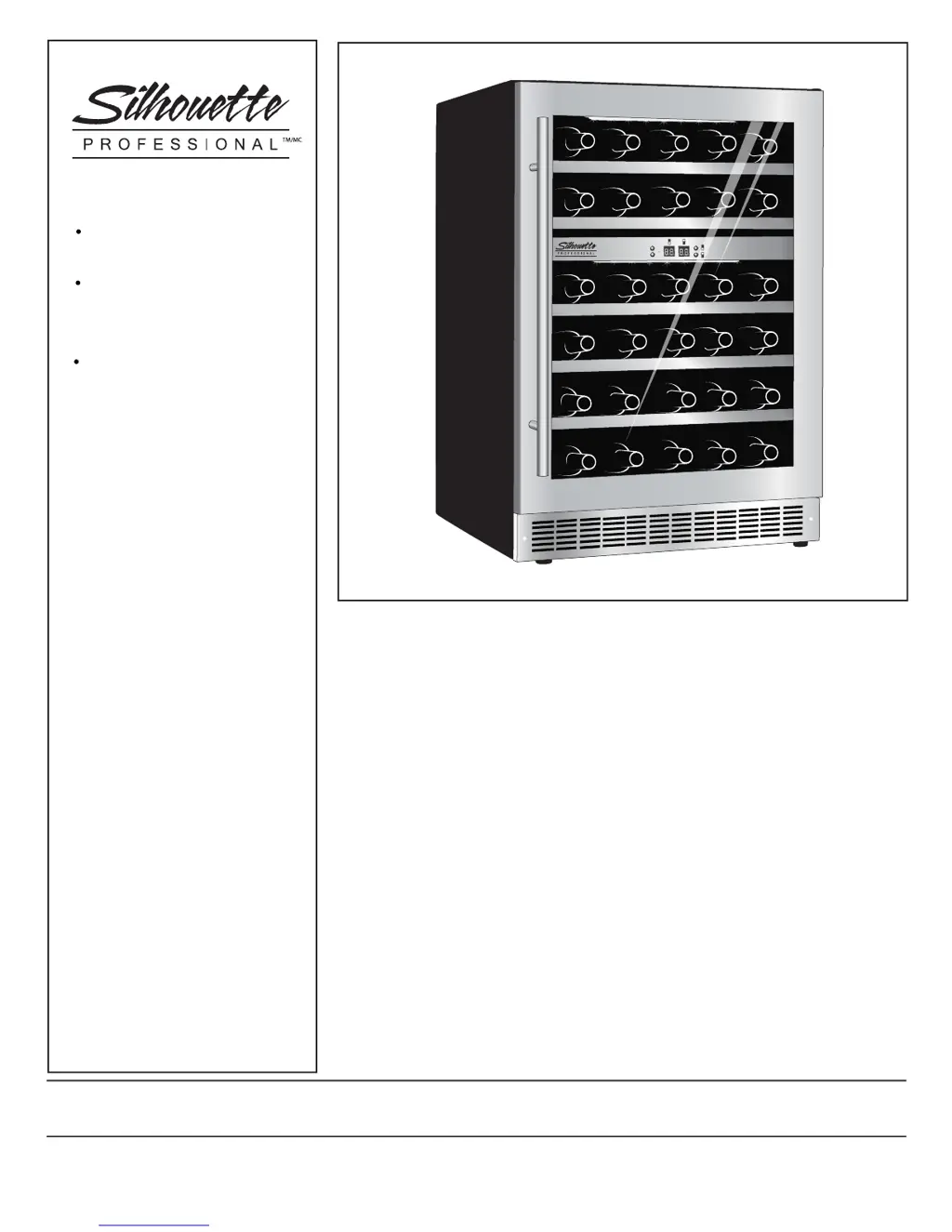
Silhouette DWC053D1BSSPR
26 pages
Print Icon
To Next Page IconTo Next Page
Loading...
s11111. 1. 01.
OWNER’S MANUAL
LE MANUEL DU
PROPRIÉTAIRE
DWC053D1BSSPR
CAUTION
Read and follow all safety rules
and operating instructions
before first use of this product.
PRÉCAUTION
Veuillez lire attentivement les
consignes de sécurité et les
instructions d’utilisation avant
l’utilisation initiale de ce produit.
Danby Products Limited, Guelph, Ontario Canada N1H 6Z9
Danby Products Inc., Findlay, Ohio USA 45840
V1.03.14
1-844-455-6097

Questions and Answers

  • C
    Cheryl DavisAug 1, 2025
    How to troubleshoot a Silhouette Kitchen Appliance with no power?
    • J
      Jeffrey WalkerAug 2, 2025
      If your Silhouette Kitchen Appliance has no power, there are several potential causes: * A fuse in your home may be blown or the circuit breaker tripped. In this case, replace the fuse or reset the circuit breaker. * There may have been a power surge. Try unplugging the appliance, waiting a few seconds, and then plugging it back in. * The plug may not be fully inserted into the wall outlet. Ensure the 3-prong plug is fully inserted.
  • L
    lynchjosephAug 7, 2025
    Why is the cabinet temperature too high in my Silhouette Kitchen Appliance?
    • C
      Charles DavisAug 7, 2025
      If the cabinet temperature of your Silhouette Kitchen Appliance is too high: * First, verify the temperature control setting and adjust it if necessary. * Make sure the doors are fully closed and the gaskets are sealing against the cabinet. Open the doors only as needed and for short periods. * Check that the exhaust vent is not obstructed. * Limit the quantity of warm items being introduced to the cabinet.
  • P
    Pamela NelsonAug 13, 2025
    What to do if there's condensation on my Silhouette DWC053D1BSSPR Kitchen Appliances?
    • P
      Paula ArnoldAug 13, 2025
      If you notice condensation on the cabinet or doors of your Silhouette Kitchen Appliance: * It could be due to high humidity conditions in your home. The condensation should subside once humidity returns to normal. * Ensure that the doors are fully closed and the gaskets are sealing properly. Avoid opening the doors excessively or for extended periods.
  • J
    Johnny WebbAug 19, 2025
    Why is my Silhouette Kitchen Appliance beeping with “HI” on the display?
    • N
      Nicholas WilsonAug 19, 2025
      If your Silhouette Kitchen Appliance alarm is beeping and “HI” is displayed on the control panel: * It may be caused by recently adding a large quantity of warm bottles to the cabinet. Limit the quantity of warm items being introduced. * Ensure the door is closed tightly. * It can also indicate a system leak, evaporator fan failure, or compressor fan failure. To stop the beeping, unplug the unit and contact a service center.
  • J
    James MeyerAug 26, 2025
    What does it mean when my Silhouette Kitchen Appliance beeps and shows “LO”?
    • M
      Melinda WrightAug 26, 2025
      If your Silhouette Kitchen Appliance alarm is beeping and “LO” is displayed on the control panel, it indicates a sensor failure where the evaporator temperature is too low. To stop the beeping, unplug the unit and contact a service center.

Summary

Important Safety Information

Safety Precautions

Essential safety measures to prevent injury and ensure safe operation.

Grounding Instructions

Proper grounding procedures to prevent electrical shock hazards.

Operating Instructions

Features of your Wine Cooler

Overview of the wine cooler's components and design elements.

The Controls of your Wine Cooler

Description of the control panel buttons, display, and indicator lights.

Setting the Temperature

Instructions on how to adjust and display the desired temperature settings.

Function Instructions

Details on specific functions like door ajar alarm and temperature alarms.

Wine Storage

Guidance on maximizing storage capacity and bottle placement.

Shelf Instructions

Instructions on how to remove and handle the wine cooler shelves.

Installation Instructions - Intergrated Application

Tools You Will Need

Lists necessary tools for installing the wine cooler.

Preparing the Enclosure

Requirements for preparing the installation space and electrical outlet.

Installation Instructions - Door Swing Reversal

Care and Cleaning

Helpful Hints

Tips for maintaining the wine cooler after cleaning.

How to Clean the Inside

Methods and precautions for cleaning the interior surfaces of the wine cooler.

How to Clean the Outside

Instructions for cleaning the exterior, door, and control panel.

Trouble Shooting

LIMITED IN-HOME APPLIANCE WARRANTY

Terms of Warranty

Details the duration and conditions of the manufacturer's warranty coverage.

Exclusions

Lists conditions and situations not covered by the appliance warranty.

General Provisions

Outlines general terms, conditions, and limitations applicable to the warranty.

Silhouette DWC053D1BSSPR Specifications

General IconGeneral
Typebuilt-in
Sizecompact
Colorstainless steel, silver
Total Capacity5.30 cubic feet
Bottle Capacity51
Minimum Wine Cooler Temperature39 degrees fahrenheit
Maximum Wine Cooler Temperature64 degrees fahrenheit
Defrost Systemno
Number of Shelves5
Number of Temperature Zones2
Temperature Controlelectronic
Interior Lightyes
Child Lockno
Humidity Controlno
Smart Homeno
Voltage115 volts
Weight and Dimensions IconWeight and Dimensions
Depth25.6 inches
Height34.4 inches
Width23.8 inches
Net Weight130.1 pounds

Related product manuals