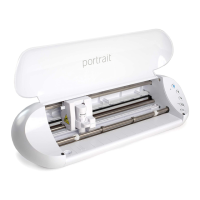
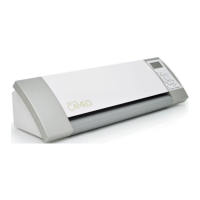
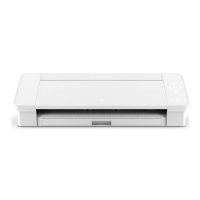
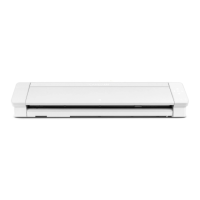
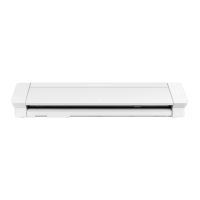
The Silhouette Portrait 4 is an electronic cutting machine designed for crafting and various material cutting tasks. It is suitable for cutting materials up to 5.5 inches wide, including A4, Letter, and 9-inch sizes, and can also accommodate an 8.5-inch by 12-inch cutting mat. The device is capable of cutting films, craft papers, iron-print sheets, and other materials.
Function Description:
The Silhouette Portrait 4 is primarily used for precision cutting of various media. It connects to a computer via USB or Bluetooth and operates in conjunction with the Silhouette Studio software. Users can create or import designs within the software, configure cutting settings, and then send the data to the machine for execution. The machine supports both "half-cut" (cutting only the top media without penetrating the release paper) and "die cut" (cutting through all media) operations. It also features "Print and Cut" functionality, allowing users to print designs and then cut them with precision using registration marks.
Important Technical Specifications:
- Supported Media Widths: 5.5 inches, A4, Letter, 9 inches.
- Cutting Mat Size: 8.5 inches x 12 inches.
- Media Thickness (Film): 0.1 mm or less (excluding high-intensity reflective film).
- Media Thickness (Paper): Up to 0.5 mm thick for materials like Kent paper (157 g/m²), drawing paper, postcards, scrapbook paper, ink-jet font paper, Bazzill paper, and cardboard.
- Connectivity: USB cable, Bluetooth.
- Software: Silhouette Studio (compatible with Windows 10 or later, macOS X 10.14 (64-bit) or later).
- Tool Holders: Features a tool holder for the Auto Blade and other tools like a 2 mm Kraft Blade.
- Weight: Approximately 2 kg (machine alone).
Usage Features:
- Intelligent Path Technology: This function offers specialized cutting options, such as controlling the cutting order automatically, to prevent media shifting or ripping, especially with delicate or thin papers. It is effective for complicated designs, sharp angles, and materials where adhesive comes off easily.
- Auto Blade: The machine uses an Auto Blade, which automatically adjusts its depth based on the specified cutting conditions in the software. Users can manually adjust blade depth, force, speed, and number of passes for optimal cutting results.
- Media Loading: Media can be loaded directly or by using a cutting mat for non-standard sizes or materials without release papers. The pinch roller unit can be adjusted to secure media based on its size.
- Test Cut: It is recommended to perform a test cut before each new project or media type to determine optimal blade depth, force, and speed settings.
- Auto Cross-Cutting: This function allows the machine to automatically cut a specified line on the media after the main design is cut, separating the design from the media. It is usable with vinyl, iron-print sheets, or user-defined cutting conditions, and when the machine is set not to use a mat and an Auto Blade is inserted.
- Silhouette Studio Software: The dedicated software provides tools for designing, importing images, tracing, and configuring cutting parameters. It includes a "Design Store" for purchasing digital content and a "Library" for managing saved designs.
- Emergency Stop: The power button can be pressed during a cutting operation to immediately stop the process.
- Repeat Job Button: Allows repeated cutting of the last sent data.
- Position Key: Used to move the tool carriage and media position.
- Media Load/Removal Buttons: Dedicated buttons for loading and removing media.
- Pause Button: To pause and resume cutting operations. Pressing and holding it cancels the paused operation.
Maintenance Features:
- Blade Care: Blades should be handled with care to avoid bodily injury. The blade tip cap of the Auto Blade can be retightened using the hand-held blade adjuster if loose.
- Blade Replacement: The Auto Blade should be replaced if it is worn or the cutting tip is broken. The service life is approximately 4 km for vinyl chloride media and 2 km for paper media.
- Cleaning: The inside of the Auto Blade should be cleaned by removing the blade tip cap.
- Firmware Update: The machine's firmware can be updated through the Silhouette Studio software when a new version is available. It is crucial not to turn off the machine during this process.
- Troubleshooting: The manual provides solutions for common issues such as media loading problems (bending, slipping), improper cutting (film peeling, misaligned cuts, media stuck), and incorrect tool settings.
- Media Preparation: For optimal results, media edges should be cut straight and at a right angle, and curled rolled media should be straightened before loading.

 Need help?
 General

 To Next Page