10
English
Troubleshooting
This chapter summarizes the most common problems you could encounter. If you are unable to
solve the problem with the information below, contact your local Silk’n Customer Service Center
for further support.
SolutionPossible CauseProblem
Connect the Plug (E) to the Applicator Plug
and the adaptor to AC electrical outlet
The Adaptor is not
connected
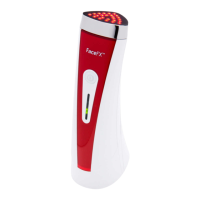
Silk’n FaceFX does
not work
Contact your local Silk’n customer Service
center
The Applicator is
broken
Connect the Plug (E) to the Applicator Plug
and the adaptor to AC electrical outlet
The Adaptor is not
connected properly
Silk’n FaceFX
suddenly switches
o
No action is requiredThis is normalDevice temperature
rises during use
Press the ON/OFF Switch twice to switch
the Applicator o and on again. If Ready/
Treatment Mode - indicator light (K) does
not illuminate again, contact your local Silk’n
customer Service center
The Applicator
needs to be reset
Ready/Treatment
Mode - indicator
light (K) does not
illuminate when
pressing the ON/
OFF Switch
Press the ON/OFF Switch twice to switch
the Applicator o and on again. If System
Error - indicator light (L) illuminates again,
contact your local Silk’n customer Service
center
Malfunction of the
Applicator
The Yellow System
Error - indicator
light (L) is lit.



 To Next Page