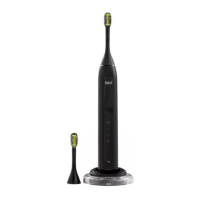
3.3 Device controls & settings
Refer to the diagram on page (i) at the front of the manual.
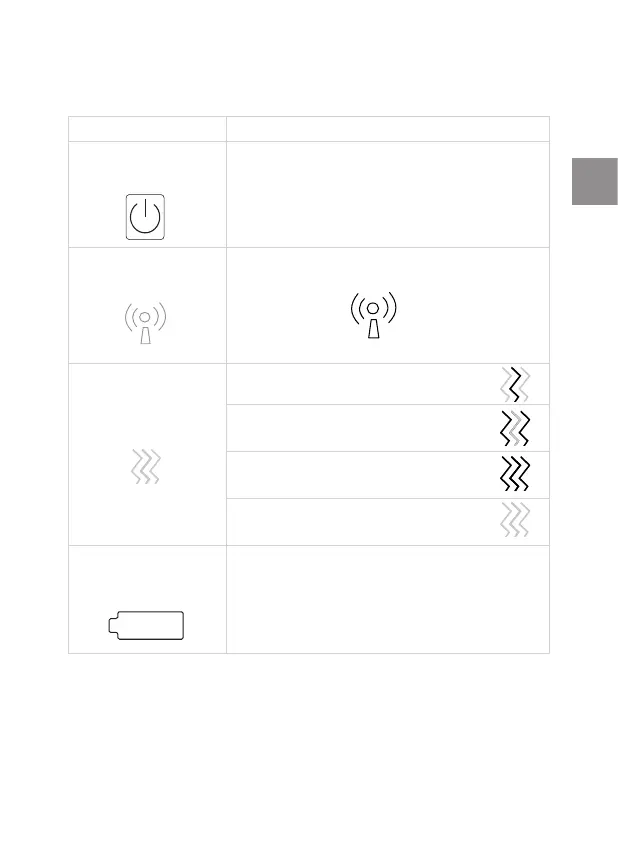
Control Function / Mode
Control button
(#3)
Long press: turns the device on or o
Short press: each press moves to the next
mode
DentalRF mode
indicator light
(#4)
DentalRF is active for all modes
Vibration mode
indicator light
(#5)
Mode 1: Low vibration
Mode 2: Medium vibration
Mode 3: High vibration
Recommended mode
Mode 4: No vibration
Battery indicator
light
(#6)
Green blinks - battery is charging
No light - battery is charged
Orange blinks - battery is low
Orange constant - battery is empty
Z When the battery is fully charged, the light will be constant
green for 30 seconds, then it will go out.
27
ToothWave EU3 6190D inside ALL ED631-04 release.indd 27ToothWave EU3 6190D inside ALL ED631-04 release.indd 27 30/11/2020 16:03:1330/11/2020 16:03:13


 To Next Page
 Loading...