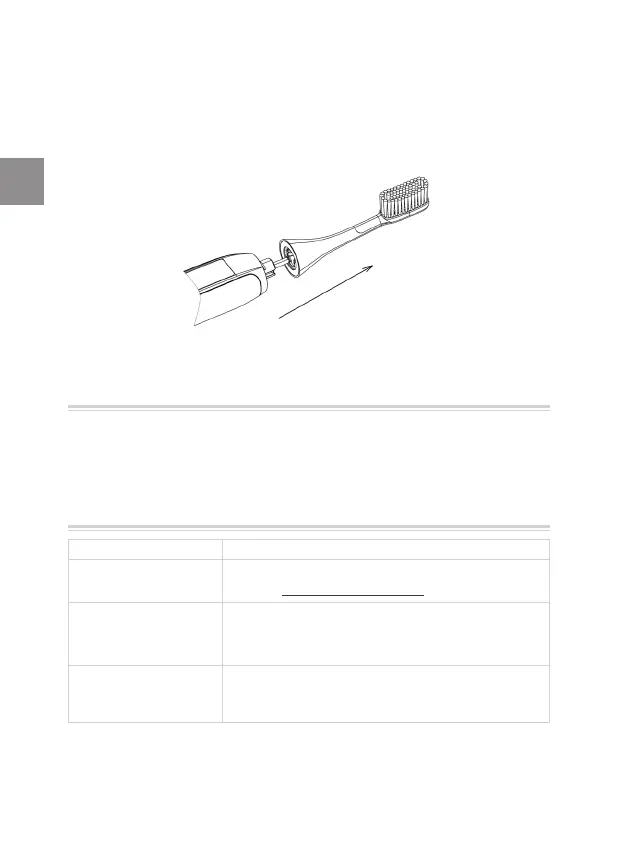
7.3 Replacing the brush head
Replace the brush head (#1) every 3 months, or whenever you
see that the bristles are damaged or worn. To change the brush
head (#1), simply pull out the brush head (#1) and replace with
a new one.
8. Parts & consumables
You can purchase replacements from where you purchased the
device, or online at www.silkn.eu.
9. Troubleshooting
Problem Checks
My device does not
start.
Make sure the battery is not low. Refer to
section 3.5 Device charging.
The device is
charged but it does
not work.
Press the control button (#3) to restart
the device. If the problem persists, contact
customer service.
All indicator lights
(#4, #5, #6) blink.
There is a system error. Press the control
button (#3) to restart the device. If the
problem persists, contact customer service.
Z For problems or queries, please contact Silk'n customer
service.
32
ToothWave EU3 6190D inside ALL ED631-04 release.indd 32ToothWave EU3 6190D inside ALL ED631-04 release.indd 32 30/11/2020 16:03:1430/11/2020 16:03:14


 To Next Page
 Loading...