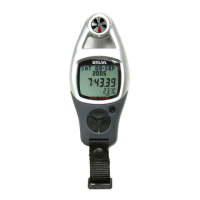
Wind Speed Display Lock
Reset the Maximum Wind Speed
!
!
!
!
!
!
The ADC is equipped with a function to hold
the fluctuating wind speed reading on the
display.
In Wind Speed Mode, press the [set] button
to lock the wind speed reading (the display
will hold the current reading for 5 seconds).
To reset the maximum wind speed, press
and hold the [reset] button for 2 second to
select the Reset Display.
When the Reset Display is displayed, press
the [set] button to select between 'YES' and
'NO'.
In the ' ' display, press and hold the [mode]
button for 2 about seconds to confirm the
reset (the maximum wind speed will reset to
zero).
To abort the reset, press and hold the [mode]
button for 2 seconds in the ' ' display.
YES
NO
Wind Speed Mode
Wind Speed Mode
(Display Locked)
Maximum Wind Speed
Reset Display - NO
Maximum Wind Speed
Reset Display - Yes
18.3 8.3
18.3 8.3
RESET MAX
WIND? NO
RESET MAX
WIND? YES
[set]
hold
[reset]
hold
[mode]
(abort the
reset)
hold
[mode]
(confirm
the
reset)
[set]
5 seconds
18.3 8.3
WIND mph
L 21.3
18.3 8.3
WIND mph
21.3
flashing
flashing
display
keep still
lock
indicator
Note:
This diagram illustrates
the general flow among
different functional
displays only, and may
NOT conform to fact in
all instances.
11.5 Wind Speed Mode - Wind Speed Display Lock, Reset Max Wind Speed


 To Next Page