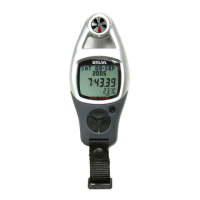
13.4 Barometer Mode - Setting the Storm Alarm
BARO hPa
1001.3
Barometer Mode
[mode]
hold
[mode]
Storm Alarm Setting
Pressure
Calibration Display
1001.3
0.0
OFFSET
Calibration Setting Display
Check the 'Calibrating
the Temperature' section
below for more detail
[mode]
current
barometric
pressure
hold
[reset]
hold
[mode]
(Alarm OFF)
hold
[mode]
(Alarm ON)
Alarm ON
Alarm OFF
1001.3
BARO hPa BARO hPa BARO hPa
1001.3
OFF ONSTORM STORM
[set]
Stormy
Alarm
Pressure
Calibration
Storm Alarm and Pressure
Calibration Setting Sequence
Select the Setting Display
!
!
!
!
Press and hold the [mode] button for about
2 second to select the setting display (the
' ' or ' ' will start flashing).
In the setting display, press the [mode]
button to move the setting following the
adjacent diagram.
When the ' ' or ' ' starts to flash, press
the [set] button to select the Stormy Alarm
between ON and OFF.
When the above settings finished, press and
hold the [mode] button for about 2 seconds
to exit the setting sequence.
ON OFF
ON OFF
Setting Sequence


 To Next Page