Daily Alarm Display
To Select Daily Alarm between ON and OFF
Daily Alarm Sound
!
!
!
!
!
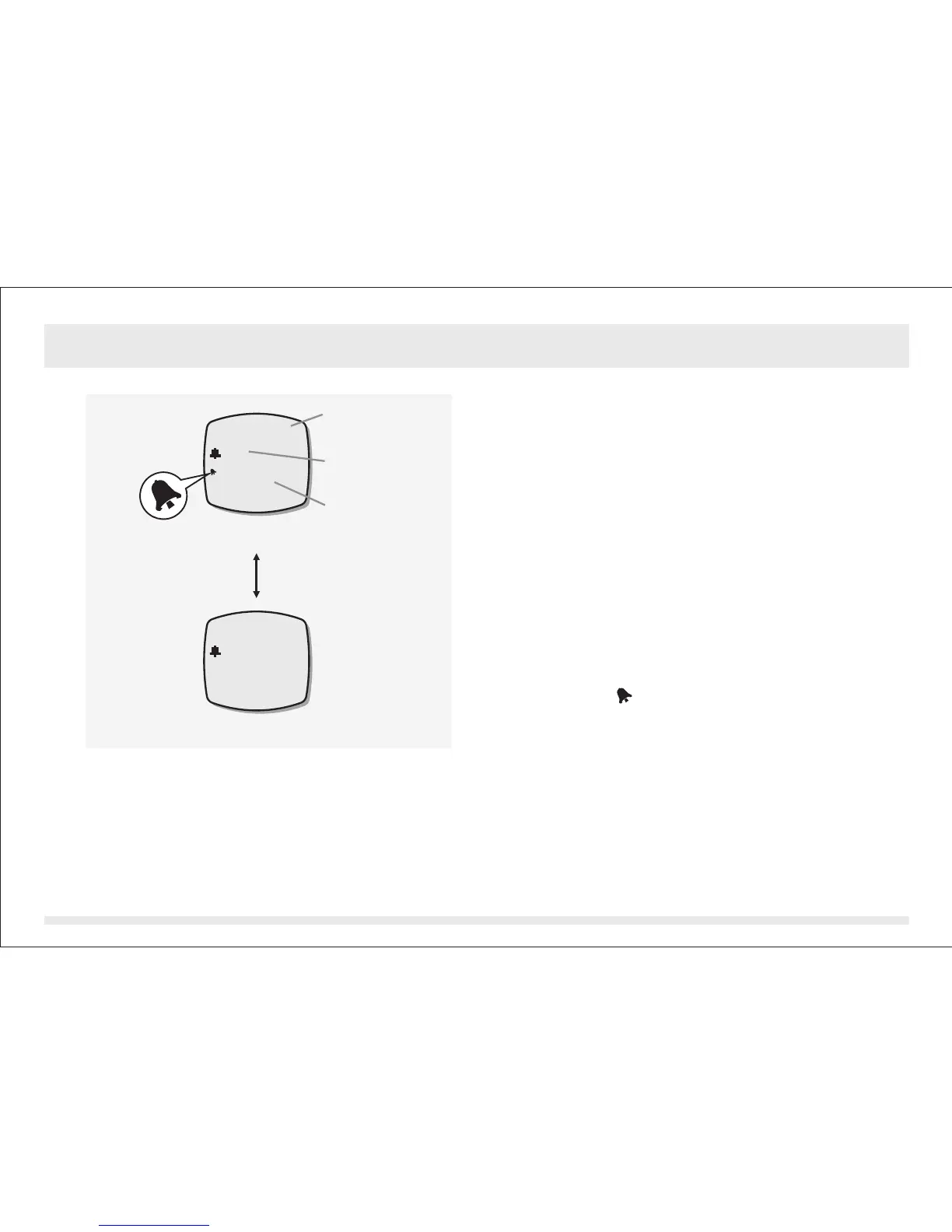
In Daily Alarm Mode, the display will show
the following:
1) The mode indicator ' ' appears
on the 1st row of the display.
2) The ' ' or ' ' status indicator appears
on the 2nd row of the display.
3) The alarm time (hour and minute) appears
on the 3rd row of the display.
To select the daily alarm between ON and
OFF, press the [set] button once.
When the daily alarm is ON, the Alarm ON
Indicator ' ' appear otherwise it is OFF.
When the daily alarm is ON, the product will
beep at the predefined alarm time for about
30 seconds.
When the beep sounds, it can be stopped
prematurely by pressing any of the buttons
except the [light] button.
DAILY ALARM
ON OFF
DAILY ALARM
12:00
ON
DAILY ALARM
-- :
OFF
Alarm ON Display
Alarm OFF Display
Daily Alarm Mode
Alarm ON/OFF
Status
Mode indicator
Alarm time
[set]
Alarm ON
Indicator
7.0 Daily Alarm Mode - Daily Alarm Display
--:--


 To Next Page