4
¾
¾
¾
¾
¾
¾
DMX channel setting way:
1. Press up or down key to change the channel address of show.
2. Press enter key to confirm the change. The green light will shine to
indicate the light already store the channel address.
3. The product will show the latest setting value when you operate next
time.
The product can operate by single mode without controller.
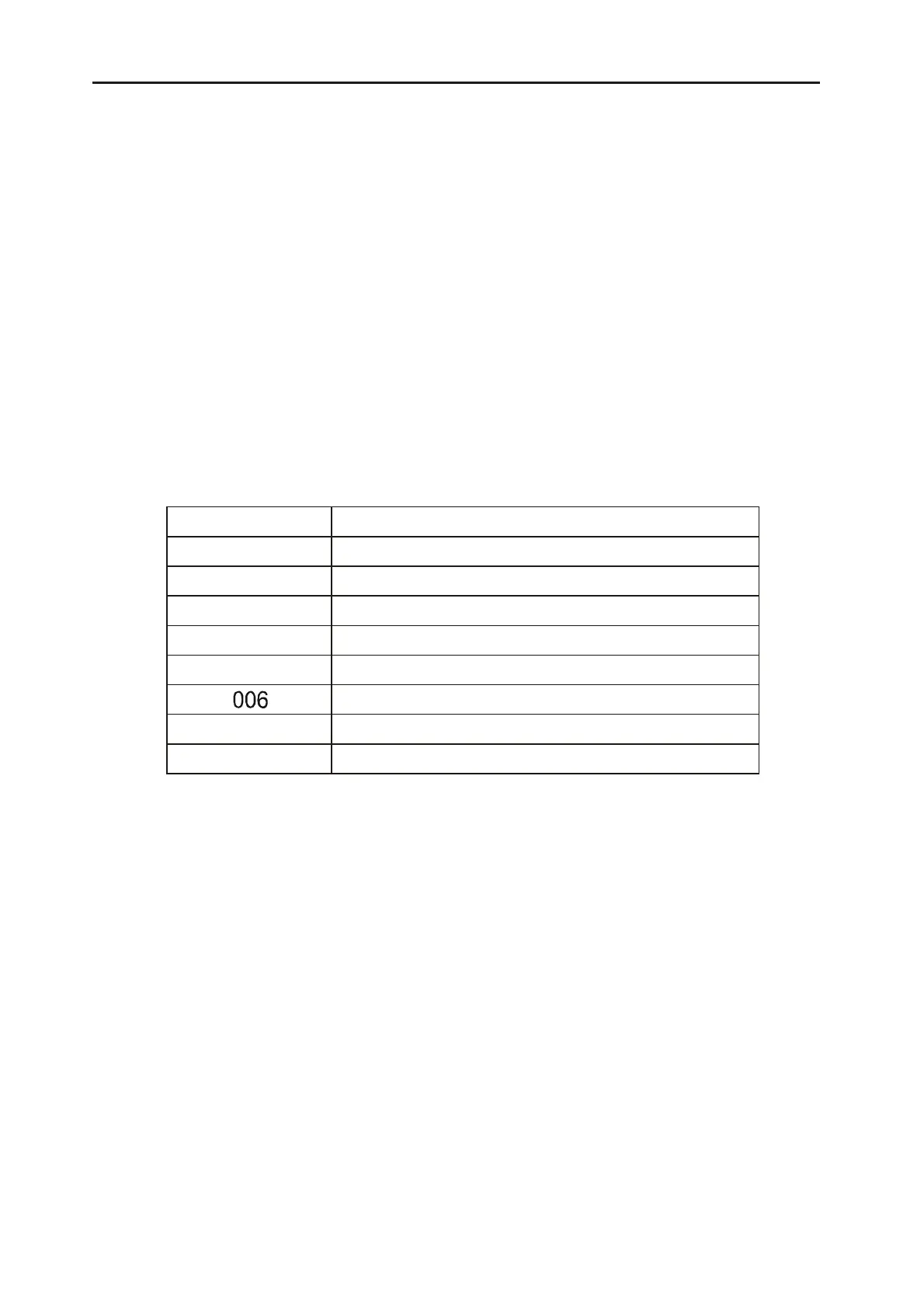
Press fung key continuous, the code screen will show the function operate
code of products in proper order. Every function operate code
corresponding special function as following:
After the code screen show the function operate code, if you press up
or down the code screen will show N (NO) or Y (YES).
You can press enter to confirm when the function operate code screen
show Y . At the same time the green light will shine and the product
will make this function setting effect and store. When the function
operate code screen show N , you also can press enter to make this
function setting out of effect and store.
Set light at sound active station. The light auto-black out without sound
active music input.
The product has 8 operate channel and use international standard
DMX512. The details as following:
Single Machine Mode
Controller Operate Mode
Laser Motorhead Light .3.
Function Code Parallelism Function
001 DMX control
002 Sound control
003
Auto-procedure
004
Subordinate operate
005 Address code set
007
Reset, on or off
008 00B
…
Keep
Sound active auto speed (set)



 To Next Page