5
¾
¾
¾
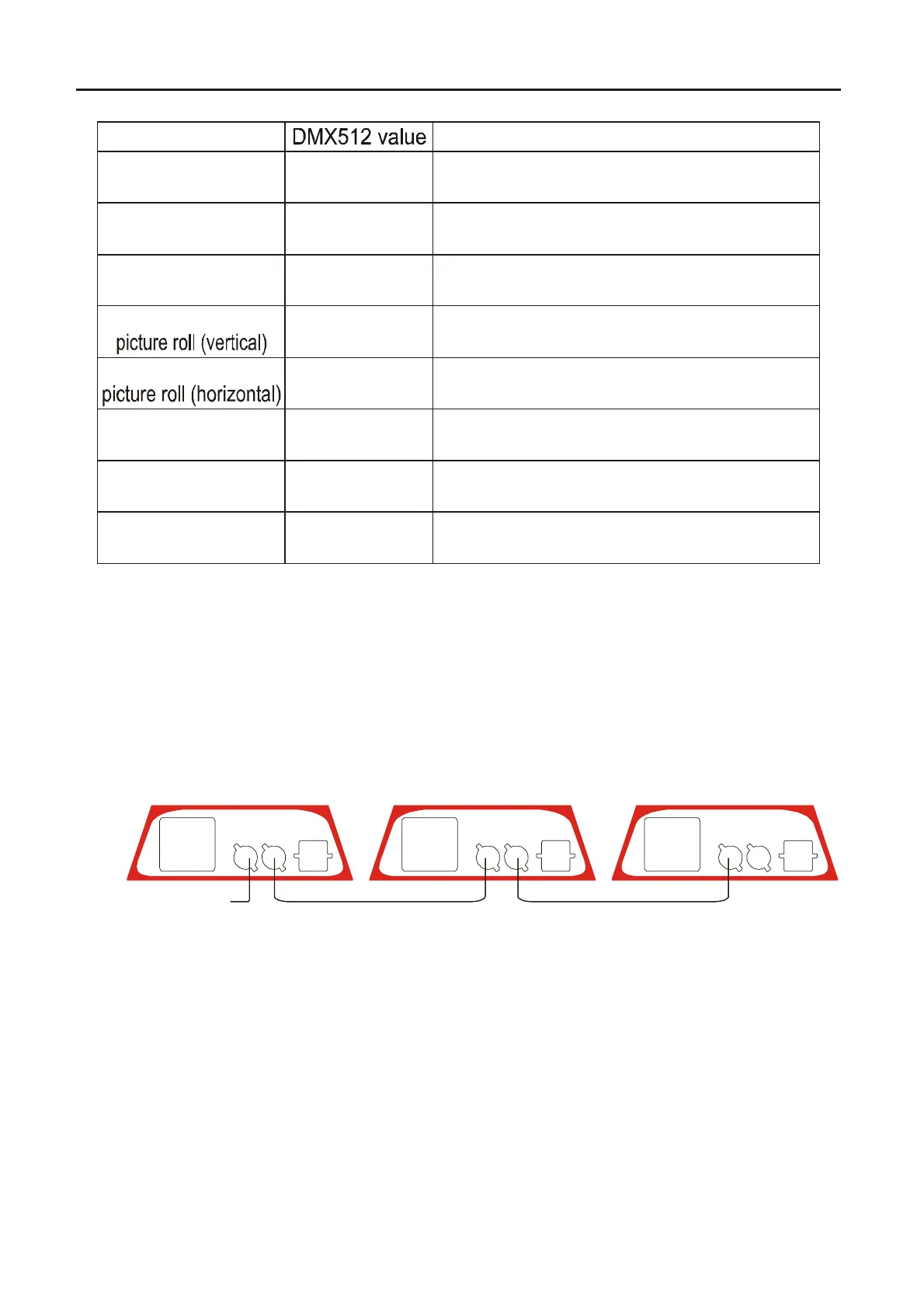
Connect the XLR-XLR control line from the DMX output of
controller to DMX input of each product and connect the DMX output
of the first one to the DMX input of the second one. Connect all
products in this wa
. Then use the attached circle plu
to connect the
signal output of last machine like picture show:
ote: Please remember the si
nal output of last machine must connect
the attached circle plu
. The circle plu
connect a 120 resistance
between 2 feet and 3 feet canon plug. The signal reflects phenomena
can be avoided by using circle plug during DMX 512 signal transfer.
The product use 3 feet XLR plu
. If the controller
ou use is 5 feet
XLR plu
,
ou must use a interchan
e line from 5 feet to 3 feet as
following picture:
Ω
7
picture size
8
reset
6
picture roll
5
4
2
Y line
3
picture
1
X line
Channel
0-255
0-255
0-255
0-255
0-255
0-255
0-255
0-255
bigger or smaller from the center
(0-biggest, 255-smallest)
0-127 open light, 128-254 black out,
255 reset.
roll around the center (0-360 )
roll Y line like mirror image
compress fold
roll X line like mirror image
compress fold
0-265 (vertical)
12 pictures, average DMX value
(Can change accord user require)
0-370 (horizontal)
function
DMX IN DMX OUT
POWER IN
FUSE F6.3 A DMX IN DMX OUT
POWER IN
FUSE F6.3ADMX IN DMX OUT
POWER IN
FUSE F6.3A
Light 1
Control singal input
Output and input connect together Output and input connect together
Lignt NLight 2
Laser Motorhead Light .4.


 To Next Page
 Loading...