SILVER Audio Processor 4Bmini User’s manual
Page 34/38
Audemat-Aztec SA – Audemat-Aztec INC
web: www.audemat-aztec.com - e-mail: contact@audemat-aztec.com
Security Code Locks
The system menu contains the security code lock options from where they can be enabled or disabled.
The SILVER Audio Processor 4Bmini has two code locks, the main full lock and the output lock. When enabled the
full code lock prevents editing of the SILVER Audio Processor 4Bmini parameters. When enabled the output lock
restricts access to the output menu section of the SILVER Audio Processor 4Bmini. This is useful when you want to
stop someone from being able to adjust peak output levels which could cause your broadcast to be non-compliant
with your regulatory bodies transmission specs. For example you may not want a programme director to be able to
adjust the multiplex level into a transmitter but you do want them to be able to adjust the processing.
The security code locks if enabled will engage after 4 minutes of no activity on the front panel control system. This
time has been chosen as a compromise between having the system lock you out when adjusting processing
parameters and a short enough period of time to lock the unit after you walk away from the SILVER Audio Processor
4Bmini.
The SILVER Audio Processor 4Bmini comes from the factory shipped with the factory default lock codes of 3779.
Some users may find that the output lock is set to a default of ‘0000’ so try this if you cant access the output menus
with 3779.
Enabling the security code lock feature:
Navigate to the system menu and set the code lock option to enabled.
Confirm the current password. The lock will engage after four minutes of no front panel control system activity.
Disabling the security code lock feature:
Navigate to the system menu and set the code lock option to ‘disabled’.
Confirm the current password.
Changing the lock codes:
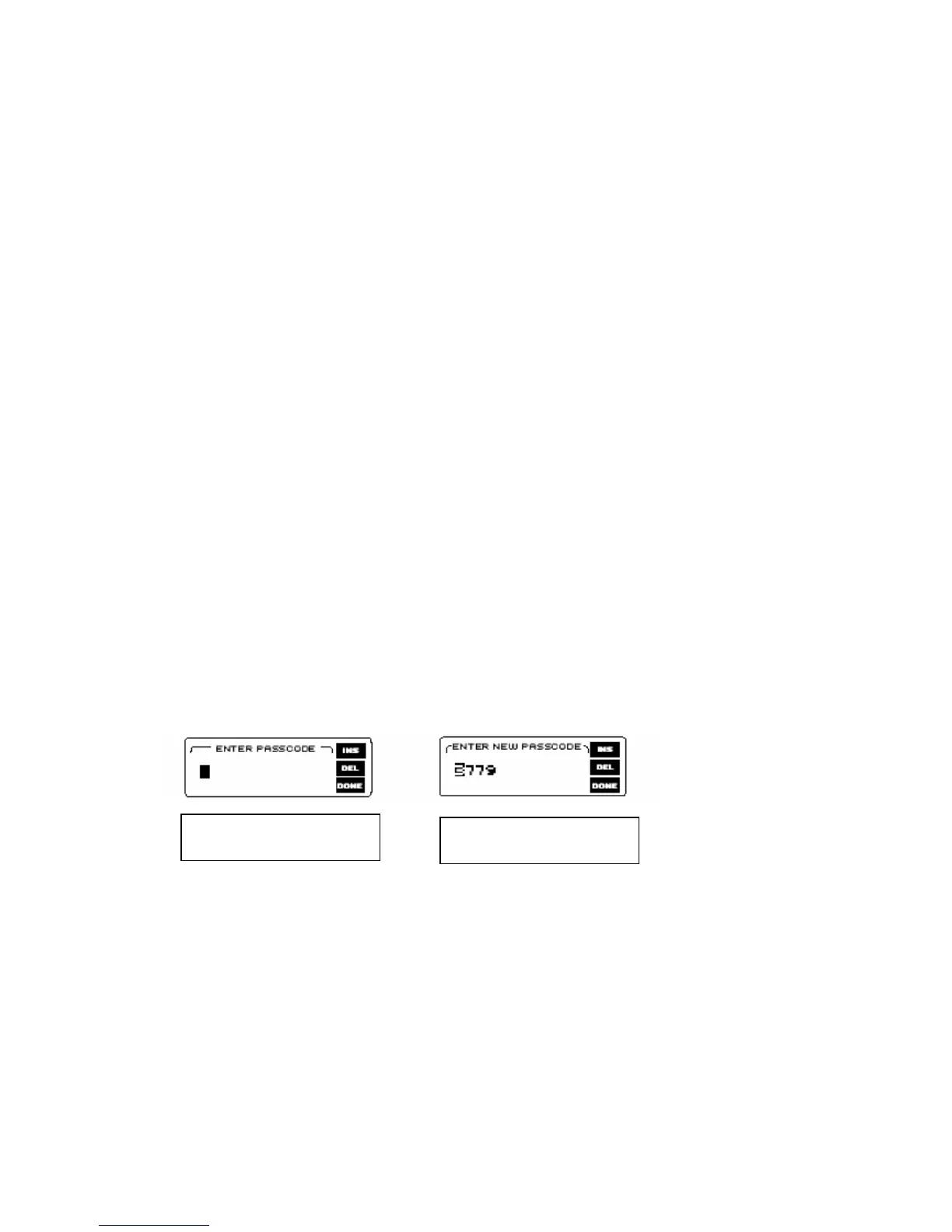
Once locked the SILVER Audio Processor 4Bmini will not allow processing adjustments
(or access to the output menu). The lock code can be entered with the use of the rotary encoder and the GO soft key
can be pressed to confirm entry and proceed. If unsuccessful you will be required to try again. If successful the
SILVER Audio Processor 4Bmini will allow you to re-confirm the code or change it. This is where you may want to
change the factory default code if you have not already done so. The soft keys will allow you to confirm the change or
accept the previous code and the SILVER Audio Processor 4Bmini should then be unlocked.
Forgotten SILVER Audio Processor 4Bmini lock code:
Contact SILVER Audio Processor 4Bmini support and request the procedure to reset the SILVER Audio Processor
4Bmini lock code back to factory default. In resetting the SILVER Audio Processor 4Bmini code lock you will also
wipe clean your user presets. We recommend that you export (back-up) your user presets to be on the safe side.
The easiest thing is not to forget the unlock code or to leave it at factory default. The factory default code is easy to
remember, just punch in the first four letters of your favourite audio processor on a telephone keypad.
Entering the pass code
Confirming or changing the
pass code


 To Next Page