EasyManua.ls Logo

Silvercrest 93436 - User Manual

Silvercrest 93436
88 pages
Print Icon
To Next Page IconTo Next Page
Loading...
IAN 93436 IAN 93436
UNIVERSAL REMOTE CONTROL SFB 10.1 B2
GB Operating instructions Page 1
CZ Návod k obsluze Strana 29
SK Návod na obsluhu Strana 57
Before reading, unfold the page containing the illustrations and
familiarise yourself with all functions of the device.
Před čtením si otevřete stranu s obrázky a potom se seznamte se všemi
funkcemi přístroje.
Pred čítaním si odklopte stranu s obrázkami a potom sa oboznámte so
všetkými funkciami prístroja.
UNIVERSAL REMOTE CONTROL
Operating instructions
UNIVERZÁLNÍ DÁLKOVÉ OVLÁDÁNÍ
Návod k obsluze
KOMPERNASS HANDELS GMBH
BURGSTRASSE 21
44867 BOCHUM
DEUTSCHLAND/GERMANY
Last Information Update · Stav informací
Stav informácií:
10 / 2013 · Ident.-No.: SFB 10.1B2 102013-3
UNIVERZÁLNY DIAL'KOVÝ OVLÁD
Návod na obsluhu
CV_SFB 10.1 B2 - IAN 93436.indd 3 01.11.2013 11:32:00

Table of Contents

Question and Answer IconNeed help?

Do you have a question about the Silvercrest 93436 and is the answer not in the manual?

Overview

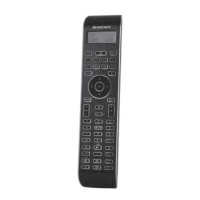
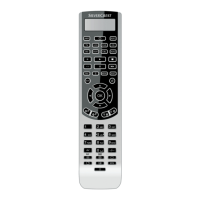
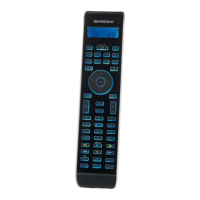
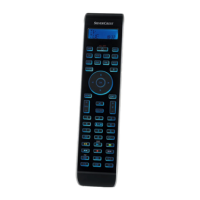
The device described in this manual is a UNIVERSAL REMOTE CONTROL, model SFB 10.1 B2, designed to operate various electronic devices.

Function Description

This universal remote control is capable of replacing up to ten original remote controls for entertainment electronics with infrared signals. It is intended for private use and is not suitable for commercial use. The remote allows for programming by brand code search, automatic code search, and manual code input. It supports a wide range of functions including:

  • Device Selection: Buttons for selecting the device to be operated, such as TV, VCR, AUX1, CBL (Cable receiver), CD, BD (BluRay Disc Player), AMP (Audio amplifier), DVD, DSAT (Digital satellite receiver), and AUX2.
  • Basic Controls: Power on/off (ALL OFF button), volume control (VOL +/-), channel changing (P +/-), mute switching, and menu navigation (MENU, OK, Arrow buttons).
  • Specialized Functions:
    • "S" button: Press and hold for 3 seconds to access the configuration menu or press briefly to show the date. It also allows access to the target device's electronic programme guide (EPG) and "PIP" (picture in picture) functions.
    • EXIT button: Moves a level backward in the menu.
    • MACRO button: Activates previously saved command chains. Up to 16 button commands can be saved in a Macro, with 6 Macro memory slots available.
    • Number buttons (0-9): Enter program and device code numbers.
    • Button for one/two digit programme numbers (-/--): For two-digit program numbers.
    • Teletext function buttons: Access teletext, stop automatic paging, enlarge page presentation, screen text and TV image one upon the other, and end teletext.
    • Playback buttons: Start playback, image format switching, record, stop playback/record/wind, pause playback, rewind, and wind forward.
    • AV button: Switches to the AV input.
    • FAV/EPG button: Accesses previously programmed favorite stations and the EPG function.
  • Configuration Menu: Provides options for programming the remote, setting language, time, date, display contrast, background illumination, volume, lock function, system reset, timer settings (sleep timer, event timer), deleting timers, learning commands, macro configuration, and assigning favorite channels.
  • Learn Function: Allows the remote to learn signals from an original remote control, supporting up to 150 button commands.
  • Lock Function: Enables locking access to all configuration menus.
  • System Reset: Deletes all or individual device buttons assignments.
  • Timer Configuration: Includes a sleep timer (up to 99 minutes) and an event timer (up to 4 events).
  • Background Illumination: Adjustable duration for the LCD display illumination.
  • Global Volume/Mute Switching: Allows a specific device to control the global volume and mute functions across all devices.
  • Select a Tape/Disc device for direct operation: Enables direct control of playback buttons for a specific device.
  • Favourites Channel: Allows saving preferred stations as favorites (up to 4).

Important Technical Specifications

  • Controllable devices: 10
  • Dimensions (L x W x H): 217 x 50 x 22 mm
  • Weight: 133 g (incl. batteries)
  • Infrared LED: Laser class 1
  • Power supply: 2 x 1.5 V, type AAA/LR03 (micro) batteries (supplied)
  • Operating temperature: +15 – +35 °C
  • Storage temperature: -0 – +50 °C
  • Humidity: ≤ 75 % (No condensation)
  • LCD Display: The remote features an LCD display that shows the currently selected device, infrared symbol, code/time, and day of the week.

Usage Features

  • Battery Insertion: The remote operates with 1.5 Volt AAA/LR03 batteries. Preset settings are retained for approximately 1 minute when changing batteries. The LCD display activates once batteries are installed.
  • LCD Display: Divided into fields showing text (selected device), infrared symbol (illuminates when a button is pressed), code/time (relevant selected device or time of day), and day of the week.
  • Menu Navigation: The configuration menu is accessed via the "S" button and navigated using arrow buttons and the OK button.
  • Code Programming:
    • Brand Code Search: Involves selecting a brand from a pre-programmed list and confirming the code.
    • Manual Code Input: Requires entering a 4-digit code from the enclosed manufacturers directory.
    • Automatic Code Search: The remote sends infrared signals in ascending order, searching for the correct code for the target device.
  • Setting Time and Date: Allows setting the current time and date, with options for 12-hour or 24-hour format.
  • Adjust Contrast: The LCD display contrast can be adjusted.
  • Sleep Timer: Sets a timer for the remote to switch off the selected device after a specified duration.
  • Event Timer: Programs up to 4 events at designated times.
  • Learning Commands: The remote can learn individual button commands from an original remote by aligning the infrared sensors.
  • Macro Configuration: Allows creating command chains of up to 16 button commands, stored in 6 memory slots.
  • Volume Control: Adjusts the volume of the controlled device.
  • Mute Switching: Toggles sound on/off.
  • All OFF Function: Pressing and holding the ALL OFF button for a few seconds switches all devices on/off. This function works under specific conditions, such as an existing optical connection between devices and the remote, and if the remote is equipped with automatic code search and macro function.

Maintenance Features

  • Cleaning: The device should be cleaned with a soft, moist cloth and a mild dishwashing detergent. Ensure no moisture penetrates the device.
  • Storage: Store the device exclusively in an environment that complies with the technical data. Remove batteries before storing for long periods to prevent damage.
  • Troubleshooting: The manual provides remedies for common issues such as the device not reacting, commands not transmitting, the device not changing stations, and the remote not functioning properly.
  • Disposal: The device must not be disposed of in normal domestic waste. It is subject to the European directive 2012/19/EU. Batteries must be disposed of separately according to local regulations. Packaging materials should be disposed of in an environmentally responsible manner.
  • Warranty & Service: A 3-year warranty is provided from the purchase date. The manual includes contact information for service inquiries. The warranty covers material and manufacturing defects but not damage from improper handling, wear and tear, or damage to fragile components.

Silvercrest 93436 Specifications

General IconGeneral
BrandSilvercrest
Model93436
CategoryRemote Control
LanguageEnglish

Related product manuals