EasyManua.ls Logo

Silvercrest H14271 - User Manual

Silvercrest H14271
43 pages
Print Icon
To Next Page IconTo Next Page
Loading...
H14271
3
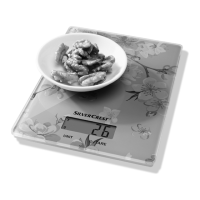
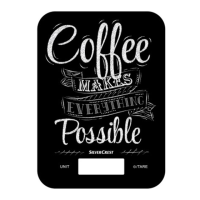
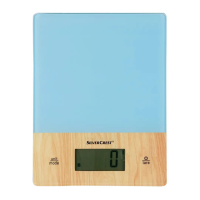
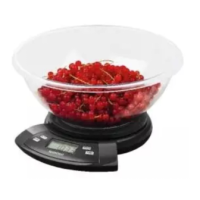
Digital Kitchen Scale
Operation and Safety Notes
Digital KöKSvåg
Bruksanvisning och säkerhetsanvisningar
Digitaalinen KeittiövaaKa
Käyttö- ja turvallisuusohjeet
Digital KøKKenvægt
Betjenings- og sikkerhetshenvisninger
Digitale Küchenwaage
Bedienungs- und Sicherheitshinweise

Table of Contents

Questions and Answers

  • B
    bobbyhernandezAug 1, 2025
    How to fix a Silvercrest H14271 Scales that won't turn on?
    • D
      Douglas MillerAug 1, 2025
      If your Silvercrest Scales won't turn on, the batteries may be empty. Try replacing them. If it is still not possible to switch the kitchen scale on, please contact a specialist.
  • M
    Mary GoldenAug 5, 2025
    Why does my Silvercrest Scales LCD readout say 'Lo'?
    • S
      Sheila AguilarAug 6, 2025
      If the LCD readout on your Silvercrest Scales displays “Lo“, it means the batteries are empty. Replace the batteries as described in the “Replacing batteries“ chapter.
  • D
    Dawn BakerAug 11, 2025
    What to do if my Silvercrest H14271 shows 'Err'?
    • C
      Cynthia Jennings DDSAug 11, 2025
      If the LCD readout on your Silvercrest Scales indicates “Err“, it means that the maximum capacity of 5 kg/11 lb has been exceeded. Remove some food from the scale. You can also reduce the amount of food and weigh it in several steps.
  • K
    kevinsmithAug 16, 2025
    What to do if my Silvercrest Scales LCD readout indicates 'Err' and does not change?
    • A
      Angela CopelandAug 16, 2025
      If the LCD readout on your Silvercrest Scales indicates “Err“ and does not change, it means that the maximum capacity of 5 kg/11 lb has been exceeded. Remove some food from the scale. Try switching the scale off and then back on again. Also, you can reduce the amount of food and weigh it in several steps.
  • E
    Elaine GonzalezAug 20, 2025
    What to do if my Silvercrest H14271 Scales show 'Err'?
    • J
      Jenna WilliamsAug 21, 2025
      If your Silvercrest Scales display 'Err', it indicates that you have exceeded the maximum capacity of 5 kg/11 lb. Remove some of the food from the scale or weigh the food in smaller portions.
  • J
    juan23Aug 26, 2025
    What to do if Silvercrest H14271 displays 'Err' and doesn't change?
    • C
      christopherfosterAug 26, 2025
      If the LCD readout on your Silvercrest Scales continuously displays 'Err', it means that the maximum capacity of 5 kg/11 lb has been exceeded. You should remove some of the food from the scale, switch the scale off and then back on again, or weigh the food in smaller portions.

Summary

Introduction

Proper Use

Explains the intended purpose and correct usage of the kitchen scale for weighing food and timing.

Description of Parts

Details the various components of the digital kitchen scale and their functions.

Technical Data

Provides key specifications like weighing range, graduation, and temperature limits.

Supply Scope

Lists all items included in the delivery package for the digital kitchen scale.

Safety Instructions

General Safety Instructions

Outlines general warnings and precautions for safe operation, child safety, and product handling.

Battery Safety Instructions

Details essential safety guidelines for handling, replacing, and disposing of batteries.

Getting started

Replacing batteries

Step-by-step guide on how to open the compartment and replace the batteries.

Weighing

Instructions on how to switch on the scale and perform basic weighing operations.

Weigh and add

Explains how to weigh multiple ingredients consecutively without resetting the scale.

Remove part of the weighed food

Describes how to measure the weight of removed food, showing a negative value.

Set the countdown timer;alarm

Guides on setting the integrated countdown timer and alarm function.

Display ambient temperature

Explains how the current ambient temperature is displayed on the scale.

Switch off the kitchen scale

Details how to manually switch off the kitchen scale to save energy.

Troubleshooting

Cleaning

Disposal

Silvercrest H14271 Specifications

General IconGeneral
TypeBathroom scale
Unitskg, lb, st
DisplayLCD
Maximum weight180 kg
Graduation100 g
Featureslow battery indicator
PowerBattery
Power supply1 x CR2032 battery
Dimensions30 x 30 x 2.5 cm
MaterialGlass

Related product manuals