Client: Lidl
Project: SDV-702 New Plug
Language: EN
Date: 31.03.2008
Version: 07
Page: 20 (of 47 pages)
Barcode: 400 5037 10 00 1 00266
Done: KV
20
11.3 Display signal of AV device
With an A/V cable (not supplied) you can connect A/V
equipment, such as an external DVD player.
Connect the video and audio connectors to the VIDEO IN/OUT
(7) and AUDIO IN/OUT OPTICAL OUT (8) jacks on the DVD
player.
Connect the RCA connector to the corresponding colour-coded
jacks on your TV set.
Press MODE (16) on the DVD player and, using
(15) or (14), select AV IN mode on the unit.
Now you will receive the signal of the external DVD player.
11.4 Connect digital amplifier
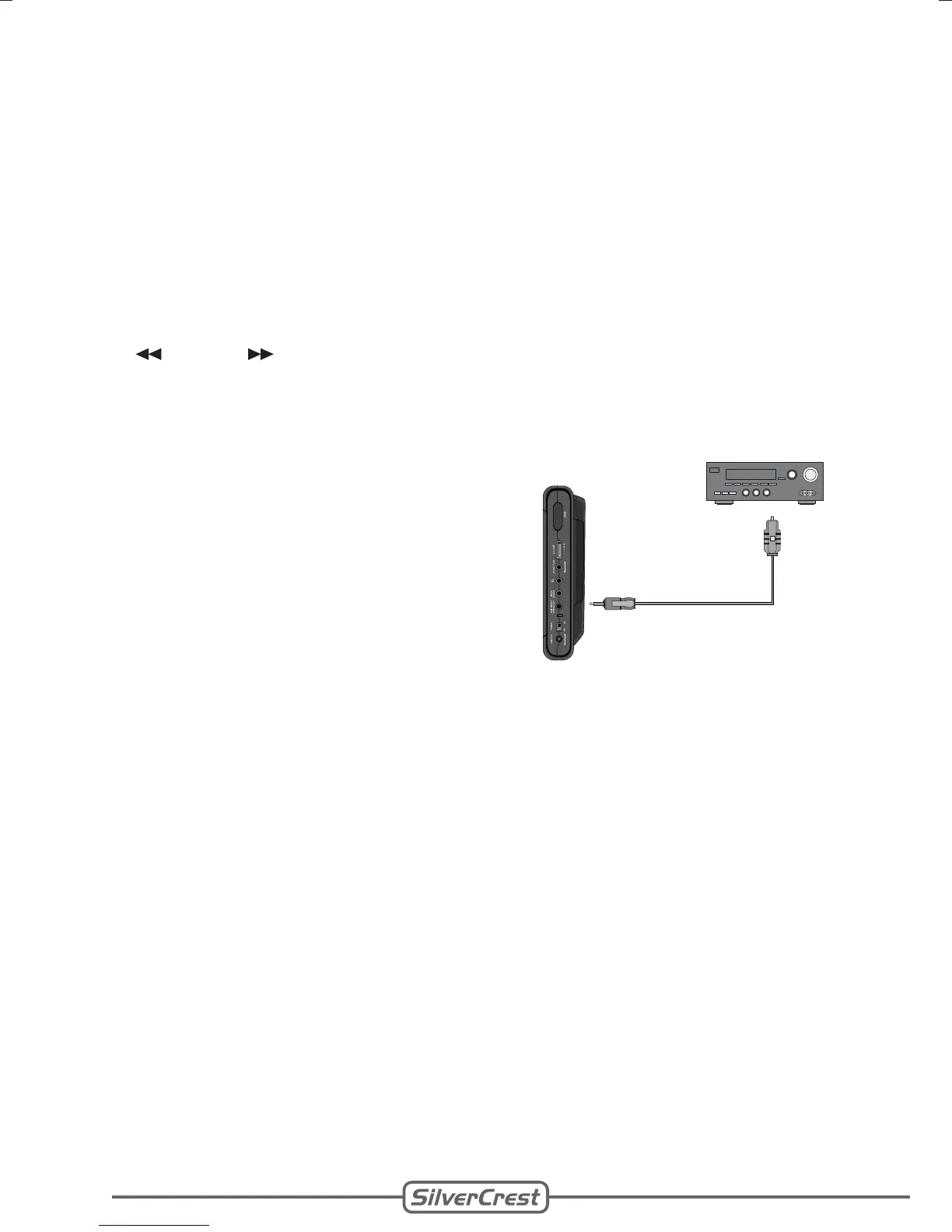
With an optical digital cable (not
supplied) you can connect the DVD
player to a digital amplifier.
Connect the digital cable to
AUDIO IN/OUT OPTICAL OUT
(8) on the DVD player and to
the optical digital input of your
amplifier.
•
•
Note:
Depending on the connected amplifier, select SPDIF/RAW or
SPDIF/PCM in the setup menu under Audio Setup (page 40).
•
•
•
•
•
•


 To Next Page