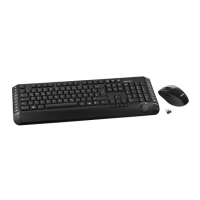
Wireless keyboard with wireless mouse STMS 22.8 A1
English - 5
Table of Contents
Package Contents .......................................................................................... 2
System Requirements .................................................................................... 3
Overview ......................................................................................................... 3
Important Safety Instructions .......................................................................... 6
Children and Persons with Disabilities ........................................................ 6
Batteries ....................................................................................................... 7
RF Interface ................................................................................................. 7
Operating Environment ................................................................................ 7
Intended Use ................................................................................................ 8
Repair and Maintenance .............................................................................. 8
Copyright ...................................................................................................... 9
Storing When Not Using the Product ........................................................... 9
Conformity Notice ...................................................................................... 10
Disposal of Old Devices ............................................................................. 10
Introduction ................................................................................................... 10
Installing the Hardware ................................................................................. 11
Inserting the Batteries ................................................................................ 11
Connecting the USB Nano Receiver ......................................................... 12
Installing the Software .................................................................................. 13
Icons in the Task Bar ................................................................................. 14
Configuring ................................................................................................... 15
Changing the Operating Mode ................................................................... 15
Configuring the Wireless Optical Mouse ................................................... 16
Configuring the Wireless Keyboard ........................................................... 16
Appendix ....................................................................................................... 19
Troubleshooting ......................................................................................... 19
Technical Specifications ............................................................................ 20
Warranty Information .................................................................................... 21


 To Next Page