9 THE USE OF THE DEVICE
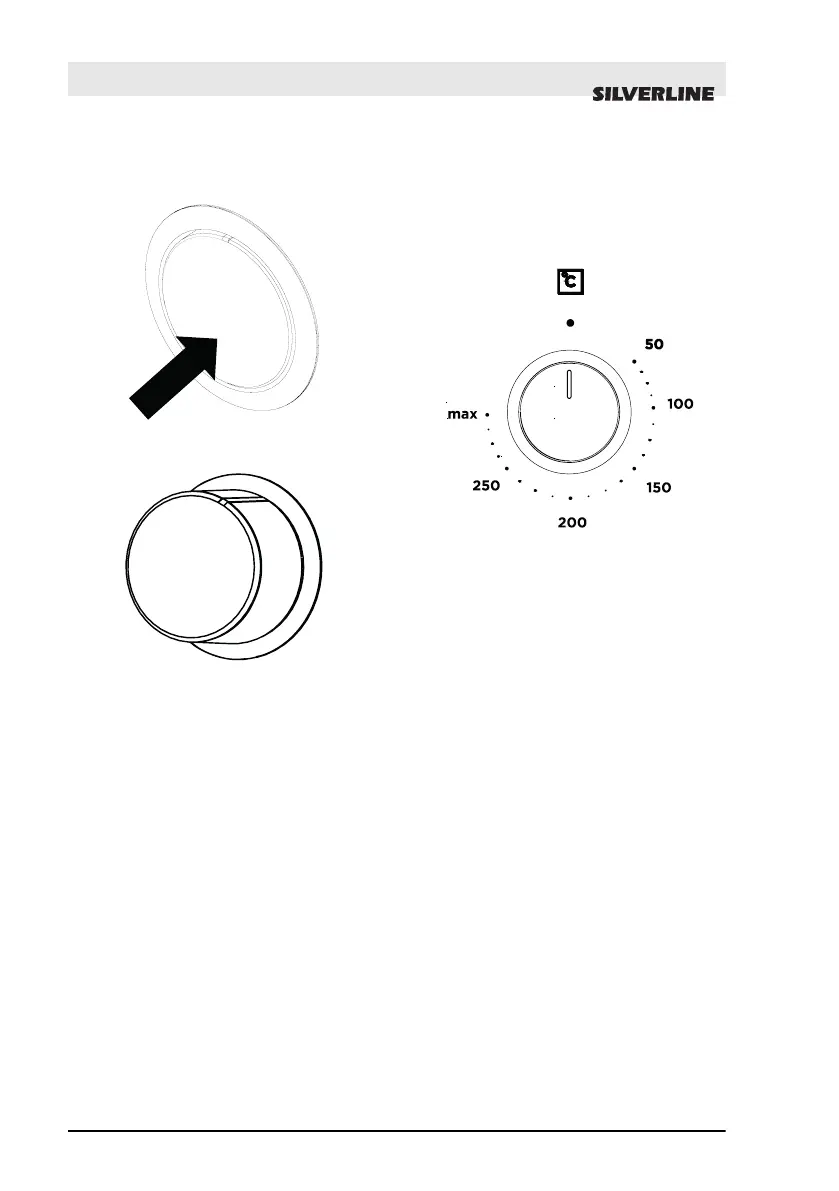
Fig. 16: Pop out off
Fig. 17: Pop out on
The buttons of your oven are the type
of pop-out buttons that pop out when
pressed in.
n Press inward to pop out the button
and then adjust (Fig. 17).
n When cooking is finished, turn the
switch to the off (top) position and
press it inwards (Fig. 16).
9.1 Temperature Setting
of the Appliance
Fig. 18
Your appliance starts heating just a
few seconds later when you set the
temperature.
Turn off the appliance by bringing the
function selection switch to zero posi-
tion when your food is ready.
THE USE OF THE DEVICE
Temperature Setting of the Appliance
11.01.2022
OVEN USER GUIDE EN
30


 To Next Page