INSTRUCTIONS
CONTENTS
BATTERIES:
A O.P. One
Robot
B Remote Controller
AGES 6+
OP ONE
HUMANOID RC BOT
SAFETY WARNINGS
SAFETY WARNINGS: PLEASE READ BEFORE USE
• Avoid water when operating.
• Adult supervision required.
• Indoor use only.
• Do not submerge robot or controller in water.
• Do not use people or animals as obstacles.
• Do not run robot into furniture objects or hard surfaces as
his will cause damage to both the objects and robot.
• Keep fingers, hair and loose clothing away from the tires,
gears and motor while robot is switched to “ON’.
• Do not leave robot or transmitter near sources of heat or
under direct sunlight for long periods of time.
• Remove all batteries when not in use to avoid accidental
operation.
• Adult supervision is recommended when operating robot.
• Thoroughly inspect products before every use. If the
product appears worn, frayed/splintered, cracked, or
broken in any manner, discontinue use and discard
immediately.
• Keep these instructions for future reference.
BATTERY WARNING
BATTERY WARNING:
• Do not mix old and new batteries.
• Do not mix alkaline, standard (carbon-zinc), or rechargeable
batteries.
• Alkaline batteries are recommended. Use only the specified
voltage.
• Insert batteries using the correct polarity. Always use,
replace, and recharge (if applicable) batteries under adult
supervision.
• Do not charge with non-rechargeable batteries.
• Do not short-circuit the battery supply terminals.
• Do not dispose of batteries in a fire, batteries may explode
or leak.
• Remove batteries before storing.
• Recycle or dispose of batteries according to federal, state,
and local laws.
Designed and manufactured by Silverlit Toys Manufactory Ltd.
Sharper Image® name and logo are registered trademarks.
Distributed by and © 2018 MerchSource, LLC. Irvine, CA 92618.
For technical support, please call 1-800-374-2744.
The artwork and design of this manual are proted by US
copyright law and may not be produced, distributed, displaced,
published or used for any purpose without prior written
permission. Altering, removing or reproducing any of the
trademark or copyright notice forms on this manual is not
permitted.
Printed in China
The robot requires 6 “AA” 1.5V alkaline batteries (not included).
The remote control requires 3 “AA” 1.5V alkaline batteries (not included).
You will need to use a Phillips or Cross screwdriver to open the battery compartments.
REMOTE CONTROL:
• Open the battery compartment.
• Insert the batteries according to the diagram inside the battery tray.
• Replace battery cover and tighten screw.
ROBOT:
• The battery compartment is between the wheels.
• Loosen the screw to remove the battery cover.
• Remove battery pack and install the “AA” 1.5V
alkaline batteries according to the diagram inside
the battery pack.
• Replace battery pack. Orient the pack so that the
cables are not pinched or twisted. There is a
pocket for the cable to fit into.
• Replace battery cover and tighten screw.
DIRECTIONAL
JOYSTICK
STATUS LED’s
GREEN - NORMAL MODE
RED - VOICE MODE
HEAD
MOVEMENT
MICROPHONE
(closed position)
VOICE MODULATOR
(5 settings)
LEFT ARM
MOVEMENT
MICROPHONE
(open position)
POWER SWITCH
(off/auto/manual)
DANCE MODE
RECORDING
PLAYBACK
RECORD
PLAYBACK/
CONFIRM PROGRAM
PROGRAM
SELECTOR
SWITCH
LISTEN
PROGRAM
START/SAVE
Warning: Changes or modifications to this unit not expressly
approved by the party responsible for compliance could void
the user's authority to operate the equipment.
This device complies with Part 15 of the FCC Rules. Operation is
subject to the following two conditions: (1) this device may not
cause harmful interference, and (2) this device must accept any
interference received, including interference that may cause
undesired operation.
Note: This equipment has been tested and found to comply
with the limits for a Class B digital device, pursuant to part 15
of the FCC Rules. These limits are designed to provide
reasonable protection against harmful interference in a
residential installation. This equipment generates, uses
and can radiate radio frequency energy and, if not installed
and used in accordance with the instructions, may cause
harmful interference to radio communications.
However, there is no guarantee that interference will not occur
in a particular installation. If this equipment does cause harmful
interference to radio or television reception, which can be
determined by turning the equipment off and on, the user is
encouraged to try to correct the interference by one or more
of the following measures:
—Reorient or relocate the receiving antenna.
—Increase the separation between the equipment and receiver.
—Connect the equipment into an outlet on a circuit different
from that to which the receiver is connected.
—Consult the dealer or an experienced radio/TV technician
for help.
Microphone
LED Eyes
Speaker
On/Off
(On Back)
Demo
Head Microphones LR
MODEL NUMBER: 1005226
FRONT OF ROBOT
CABLE
POCKET
BATTERY COMPARTMENT
BATTERY COMPARTMENT
Thank you for your purchase of Op One
Bot. Please read all instructions and
warnings on this sheet prior to using the
Op One Bot. Keep this instruction sheet as
it contains important information for future
reference.

 Need help?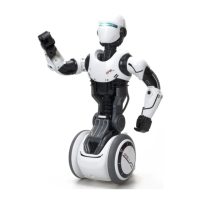

 To Next Page

 General